We are the WordPress Gurus
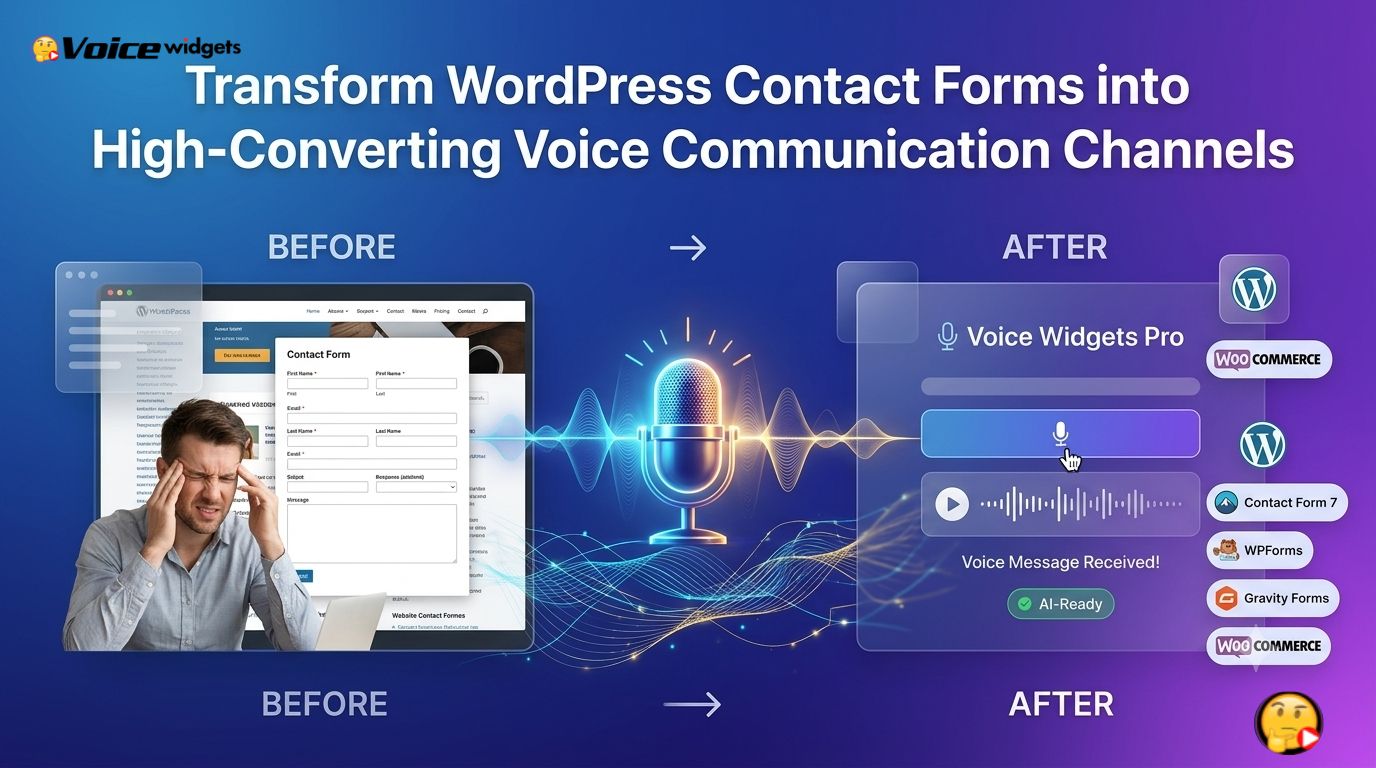
Voice Widgets Pro Transforms WordPress Contact Forms into High-Converting Voice Communication Channels

Voice Widgets Pro adds secure voice recording directly inside WordPress contact forms, allowing visitors to send spoken messages instead of relying only on typed text. Voice Widgets Pro works with popular WordPress form builders, helping businesses capture richer customer intent, reduce friction, and improve conversion rates without changing existing workflows.

How Voice Widgets Pro Transforms WordPress Contact Forms into High-Converting Voice Communication Channels
Text forms have been the standard on WordPress websites for years. Visitors type a few words, click Submit, and hope the business understands what they actually meant.
Voice Widgets Pro changes that experience by allowing visitors to speak naturally. A 30-second voice message often communicates more context than several paragraphs of typed text.
The result is not just a better user experience. Voice Widgets Pro creates a more human communication channel that helps businesses understand customer intent faster while giving visitors an easier way to reach out.
Why Do Traditional Contact Forms Lose So Many Potential Customers?
Most website owners think the problem is traffic.
The bigger problem is friction.
Every extra field, every spelling correction, and every long explanation increases the chance that visitors abandon the form.
Voice Widgets Pro removes one of the biggest barriers by replacing long typing sessions with simple voice recording.
Instead of asking visitors to carefully explain everything with a keyboard, Voice Widgets Pro allows visitors to simply press Record, speak naturally, and submit.
That tiny interaction dramatically changes the communication experience.
Why Does Speaking Feel Easier Than Typing?
Humans naturally communicate by speaking.
Typing requires slowing down, organizing thoughts, correcting mistakes, and rewriting sentences.
Voice Widgets Pro removes those mental steps.
Instead of worrying about grammar, visitors simply explain the problem exactly as they would during a phone conversation.
That creates richer information while reducing effort.

Why Does Voice Capture More Valuable Customer Information?
Text strips away emotion.
Voice preserves it.
Voice Widgets Pro captures natural pauses, emphasis, urgency, and confidence that cannot be represented through plain text.
Customer support teams immediately understand whether someone is:
- asking a simple question
- requesting a quote
- reporting an urgent issue
- explaining a complex project
- describing a product problem
- providing detailed feedback
Voice Widgets Pro helps businesses understand the real intent behind every submission.
Why Do Mobile Visitors Benefit the Most from Voice Widgets Pro?
More than half of WordPress traffic now comes from mobile devices.
Typing on mobile keyboards is slow.
Editing long paragraphs on a phone is frustrating.
Voice Widgets Pro turns that challenge into a simple workflow.
Instead of typing 300 words with thumbs, visitors tap Record and speak naturally.
The difference becomes even more noticeable when visitors are:
- walking
- commuting
- multitasking
- wearing gloves
- using one hand
- speaking while viewing products
Voice Widgets Pro makes communication possible in situations where typing feels inconvenient.
How Does Voice Widgets Pro Turn Contact Forms into Conversations?
Traditional forms feel transactional.
Visitors answer fields.
Businesses receive data.
The interaction ends.
Voice Widgets Pro makes forms feel conversational.
Visitors explain situations exactly as they would during a phone call.
Businesses receive far more context than simple text boxes can provide.
That richer communication reduces misunderstandings and improves follow-up quality.
Why Does Richer Context Produce Better Leads?
Sales teams often spend the first call trying to understand what the customer actually wants.
Voice Widgets Pro moves that discovery process earlier.
Voice recordings often include valuable details such as:
- project scope
- expected timeline
- budget expectations
- technical requirements
- previous challenges
- desired outcomes
That additional information helps businesses prioritize qualified leads faster.
How Does Voice Widgets Pro Reduce Form Abandonment?
Visitors abandon forms for many reasons.
Common causes include:
| Traditional Problem | How Voice Widgets Pro Helps |
| Long explanations | Voice recording replaces lengthy typing |
| Mobile keyboard frustration | Natural speech works faster |
| Poor writing confidence | Speaking feels more comfortable |
| Language limitations | Voice reduces spelling concerns |
| Complex project descriptions | Voice communicates details naturally |
| Accessibility challenges | Alternative communication method |
Every removed obstacle increases the likelihood of successful submissions.
Why Does Voice Build More Trust?
Businesses want authentic customer communication.
Customers want businesses to understand them.
Voice Widgets Pro bridges both needs.
Voice recordings provide authenticity that typed text rarely delivers.
Support agents hear uncertainty.
Sales representatives hear enthusiasm.
Consultants hear project complexity.
That human element improves communication before the first reply is even sent.
Can Voice Widgets Pro Improve Customer Qualification?
Not every inquiry has the same value.
Some visitors want pricing.
Others need technical support.
Some are ready to purchase immediately.
Voice Widgets Pro helps businesses distinguish between those scenarios before making first contact.
Support teams spend less time gathering basic information.
Sales teams spend more time closing qualified opportunities.
Why Is Voice Widgets Pro More Than a Simple Audio Recorder?
Recording audio is only one piece of the workflow.
Voice Widgets Pro focuses on making voice communication fit naturally inside existing WordPress websites.
Instead of asking businesses to build a separate communication system, Voice Widgets Pro enhances familiar contact forms with voice capabilities.
That means website owners keep their preferred workflows while offering visitors a modern communication experience.
How Does Voice Widgets Pro Integrate with Existing WordPress Forms?
Replacing an existing contact form creates unnecessary work.
Voice Widgets Pro avoids that problem.
Voice Widgets Pro integrates directly with popular WordPress form builders so businesses can extend existing forms instead of rebuilding them.
The result is a familiar submission process enhanced with voice messaging.
Which WordPress Form Builders Work Well with Voice Widgets Pro?
Many WordPress websites already depend on established form plugins.
Voice Widgets Pro is designed to complement those workflows rather than replace them.
| WordPress Form Solution | Voice Widgets Pro Integration Benefit |
| Contact Form 7 | Add voice recording without rebuilding forms |
| WPForms | Capture detailed customer requests |
| Fluent Forms | Improve support and quotation workflows |
| Gravity Forms | Collect richer client information |
| Custom Forms | Extend existing communication experiences |
Website owners continue using familiar forms while adding a modern voice communication layer.
Why Does Voice Widgets Pro Fit Naturally into Existing Workflows?
Changing business processes creates resistance.
Learning entirely new software consumes valuable time.
Voice Widgets Pro minimizes disruption by enhancing workflows that teams already understand.
Customer submissions continue arriving through familiar WordPress processes.
The difference is that every submission can now include valuable spoken context.
How Does Voice Widgets Pro Improve Accessibility?
Not every visitor enjoys typing.
Some visitors have motor impairments.
Others struggle with spelling.
Some communicate more confidently through speech.
Voice Widgets Pro offers another communication option without removing traditional text fields.
Visitors choose the communication style that feels most comfortable.
That flexibility creates a more inclusive website experience.
Can Voice Widgets Pro Help International Businesses?
Many global businesses serve customers whose first language differs from the website language.
Typing accurately in a second language often feels difficult.
Speaking feels far more natural.
Voice Widgets Pro allows international visitors to communicate naturally without worrying about perfect spelling or grammar.
That reduces communication barriers while helping businesses understand customer needs more accurately.
How Does Voice Widgets Pro Capture Better Customer Intent?
A typed sentence might read:
“Need help with website.”
A voice recording often sounds like:
“We’re redesigning our WooCommerce store, moving about 8,000 products, integrating ERP software, and hoping to launch before Black Friday. We’d like an estimate this week.”
Both submissions request help.
Only one provides enough context for immediate action.
Voice Widgets Pro consistently captures richer intent because natural speech encourages visitors to explain complete situations instead of writing the shortest possible message.
Why Does Voice Widgets Pro Increase Customer Confidence?
Many visitors hesitate before submitting forms because they worry about saying the wrong thing.
Voice Widgets Pro reduces that pressure.
Speaking naturally feels closer to talking with another person than filling out a formal document.
That confidence often results in longer, clearer, and more useful customer messages.
How Does Voice Widgets Pro Improve Team Productivity?
Every incomplete inquiry creates extra work.
Sales representatives send clarification emails.
Support agents ask follow-up questions.
Consultants schedule discovery calls just to gather missing information.
Voice Widgets Pro reduces those repetitive tasks by collecting richer information during the initial submission.
Teams spend less time asking basic questions and more time solving customer problems.
Why Does Better Communication Lead to Better Conversions?
Conversion optimization usually focuses on landing pages, button colors, and headlines.
Communication quality is just as important.
When businesses understand customer intent earlier, they respond faster, personalize recommendations more effectively, and reduce unnecessary back-and-forth conversations.
Voice Widgets Pro strengthens that communication loop by making every contact form submission more complete, more human, and more actionable.
Rather than acting as another form enhancement, Voice Widgets Pro transforms ordinary WordPress contact forms into voice-enabled communication channels that help businesses build stronger relationships from the very first interaction.
Why Should Every Contact Form Feel Like the First Five Minutes of a Sales Call?
A traditional contact form collects data.
Voice Widgets Pro collects intent.
The difference matters because businesses rarely lose opportunities due to missing names or email addresses. Businesses lose opportunities because customer intent remains hidden behind short, incomplete text responses.
How Does Voice Widgets Pro Create Truly Conversational Forms?

Most online forms ask visitors to fill out fields one by one.
Voice Widgets Pro adds natural voice communication to the same workflow, allowing visitors to explain the “why” behind every submission.
Instead of reading like a database record, every form submission becomes the beginning of a real conversation.
A visitor can complete a form like this:
| Form Field | Visitor Input |
| Name | John Smith |
| [email protected] | |
| Company | ABC Manufacturing |
| Project Type | WooCommerce Migration |
| Voice Message | 45-second explanation of project goals |
The structured fields organize the request, while Voice Widgets Pro captures the details that structured fields cannot.
Why Does Voice Widgets Pro Work Better for Complex Service Businesses?
Many businesses sell services that require explanation.
Examples include:
- WordPress development
- WooCommerce customization
- Digital marketing
- SEO consulting
- Legal consultation
- Medical appointments
- Construction estimates
- Interior design
- Real estate
- Insurance
A single text box rarely captures enough information.
Voice Widgets Pro lets prospective customers explain requirements naturally without forcing every detail into a paragraph.
How Does Voice Widgets Pro Fit into Contact Form 7?
Contact Form 7 remains one of the most widely used form plugins in WordPress.
Many businesses have invested years building Contact Form 7 workflows.
Voice Widgets Pro extends those workflows instead of replacing them.
Typical Contact Form 7 workflow:
- Visitor opens contact page.
- Visitor completes standard fields.
- Visitor records a voice message.
- Visitor submits the form.
- Business receives both structured form data and the recorded audio.
Voice Widgets Pro preserves the simplicity of Contact Form 7 while adding significantly richer customer communication.
Why Does Voice Widgets Pro Make Contact Form 7 More Valuable?
Contact Form 7 already handles reliable form submissions.
Voice Widgets Pro improves the quality of every submission.
Instead of receiving:
“Need website quote.”
A business receives:
A two-minute explanation covering website goals, expected launch date, current challenges, preferred technology stack, estimated product catalog size, and budget expectations.
The difference saves multiple follow-up emails.
How Does Voice Widgets Pro Enhance WPForms?
WPForms focuses on ease of use.
Voice Widgets Pro complements that philosophy by making communication easier for website visitors.
A WPForms contact page becomes a voice-enabled communication portal where visitors can explain complicated requests naturally.
Common WPForms use cases include:
- Quote requests
- Customer support
- Event registration
- Membership inquiries
- Product questions
- Partnership proposals
Voice Widgets Pro adds meaningful context to every workflow.
Why Does Voice Widgets Pro Pair Well with Gravity Forms?
Gravity Forms powers many advanced business workflows.
Conditional logic, calculations, and multi-step forms already make Gravity Forms highly capable.
Voice Widgets Pro fills the missing communication gap.
Structured logic determines what questions appear.
Voice recording captures the story behind the answers.
That combination produces far more complete submissions.
How Does Voice Widgets Pro Improve Fluent Forms?
Fluent Forms emphasizes speed and flexibility.
Voice Widgets Pro extends those strengths by allowing fast communication through speech.
Visitors often finish speaking long explanations in less time than typing a few sentences.
The result is lower friction and higher-quality submissions.
Why Does Voice Widgets Pro Work with Custom WordPress Forms?
Many developers build custom forms.
Replacing custom code usually introduces unnecessary risk.
Voice Widgets Pro is designed to fit existing WordPress workflows, making voice communication available without redesigning the entire user experience.
That flexibility benefits agencies maintaining dozens of client websites.
How Does Voice Widgets Pro Help WooCommerce Stores Capture More Sales?
Many WooCommerce visitors leave product pages without asking questions.
Typing product questions feels like work.
Voice Widgets Pro lowers that barrier.
Customers simply record a quick question directly from the product page or inquiry form.
Examples include:
- product compatibility
- shipping questions
- bulk pricing
- installation concerns
- warranty clarification
- custom orders
Every answered question increases purchase confidence.
Why Does Voice Widgets Pro Improve Product Inquiry Forms?
Traditional inquiry:
“Does this work?”
Voice inquiry:
“We’re buying twenty units for a school computer lab. We need compatibility with existing Dell systems and delivery before August.”
The second inquiry provides enough information for a personalized response.
Voice Widgets Pro makes those richer conversations possible.
Can Voice Widgets Pro Reduce Pre-Sales Support Tickets?
Many support tickets begin before a purchase.
Customers ask questions because product descriptions cannot answer every situation.
Voice Widgets Pro lets customers explain unusual scenarios clearly.
Support teams respond with targeted answers instead of requesting clarification.
That shortens the entire buying journey.
Why Does Voice Widgets Pro Improve Lead Qualification?

Sales teams often follow a simple process:
Receive lead.
Read lead.
Call lead.
Discover basic information.
Schedule another meeting.
Voice Widgets Pro shifts discovery earlier.
Sales representatives receive valuable context before making first contact.
That makes conversations more productive.
How Does Voice Widgets Pro Help Sales Teams Prioritize Leads?
Not every inquiry deserves equal urgency.
Voice Widgets Pro helps identify high-value opportunities faster.
Example scoring model:
| Customer Signal | Priority |
| Simple question | Low |
| Quote request | Medium |
| Detailed project explanation | High |
| Enterprise migration discussion | Very High |
| Immediate purchase timeline | Critical |
Voice messages often reveal urgency that text alone cannot communicate.
Why Does Voice Widgets Pro Increase Conversion Opportunities?
Imagine two website visitors.
Visitor A types:
Need help.
Visitor B records:
“Our WooCommerce store receives around 60,000 monthly visitors. We’re rebuilding before holiday sales and need migration, performance optimization, and ongoing maintenance.”
Which visitor is easier to help?
Voice Widgets Pro consistently produces the second type of lead.
How Does Voice Widgets Pro Save Time for Customer Support?
Support teams repeatedly ask the same follow-up questions:
- Which product?
- Which browser?
- What happened?
- When did the problem begin?
- What have you already tried?
Voice Widgets Pro encourages customers to answer many of those questions naturally during the first submission.
That reduces repetitive communication.
Why Does Voice Widgets Pro Improve Customer Satisfaction?
Customers dislike repeating information.
Businesses dislike asking for missing details.
Voice Widgets Pro helps both sides communicate more effectively from the beginning.
Fewer clarification emails create faster resolutions.
How Does Voice Widgets Pro Help Agencies Manage Multiple Clients?
WordPress agencies often maintain dozens or hundreds of websites.
Every client receives inquiries.
Every inquiry contains different levels of detail.
Voice Widgets Pro standardizes voice communication across multiple websites while allowing each client to continue using familiar WordPress forms.
That consistency simplifies agency management.
Can Voice Widgets Pro Support Recruitment Forms?
Hiring managers often learn more from hearing candidates speak than reading short text responses.
Voice Widgets Pro allows applicants to introduce themselves naturally.
Recruiters gain valuable communication insights before scheduling interviews.
How Does Voice Widgets Pro Improve Event Registration?
Events frequently require additional attendee information.
Voice Widgets Pro lets attendees explain:
- accessibility needs
- dietary requests
- presentation topics
- sponsorship inquiries
- logistics questions
Voice communication reduces misunderstandings.
Why Does Voice Widgets Pro Benefit Healthcare Appointment Requests?
Healthcare forms often involve complex explanations.
Typing symptoms on mobile devices feels inconvenient.
Voice Widgets Pro lets patients describe concerns naturally before appointments.
Medical staff receive more useful context for scheduling and preparation.
Why Does Voice Widgets Pro Help Real Estate Professionals?
Property buyers frequently have multiple questions.
Instead of writing long messages, buyers can explain:
- preferred neighborhoods
- budget range
- financing status
- property type
- move-in timeline
Voice Widgets Pro captures those details without increasing form complexity.
How Does Voice Widgets Pro Improve Financial Consultation Requests?
Financial planning usually involves multiple goals.
Voice Widgets Pro lets prospective clients explain retirement planning, investments, insurance, or tax concerns naturally.
Financial advisors receive richer context before the first consultation.
Why Does Voice Widgets Pro Support Better Accessibility?
Accessibility is more than screen readers.
Communication accessibility matters too.
Voice Widgets Pro provides an additional communication method for visitors who find typing difficult because of mobility limitations, language barriers, or temporary situations.
Visitors choose the method that works best for them.
How Does Voice Widgets Pro Compare with Traditional Contact Forms?
| Feature | Traditional Forms | Voice Widgets Pro |
| Customer Intent | Limited | Rich voice explanations |
| Mobile Experience | Heavy typing | One-touch voice recording |
| Lead Qualification | Manual follow-up | Better initial context |
| Project Descriptions | Often incomplete | Natural conversation |
| Accessibility | Text only | Text plus voice |
| Customer Confidence | Moderate | Higher through natural speech |
| Follow-up Emails | Frequently required | Often reduced |
| Communication Quality | Basic | Human and expressive |
What Does the ROI Look Like for Voice Widgets Pro?
Even modest improvements in lead quality can create measurable business value.
Example scenario:
| Monthly Metric | Before Voice Widgets Pro | After Voice Widgets Pro |
| Contact Form Visitors | 2,000 | 2,000 |
| Form Submission Rate | 3% (60 leads) | 4.2% (84 leads) |
| Qualified Lead Rate | 40% (24 leads) | 60% (50 leads) |
| Sales Close Rate | 20% (5 customers) | 20% (10 customers) |
| Average Revenue per Sale | $1,000 | $1,000 |
| Monthly Revenue | $5,000 | $10,000 |
A simple ROI formula illustrates the potential impact:
Additional Revenue = (Additional Qualified Leads × Close Rate × Average Sale Value)
For example:
- Additional qualified leads: 26
- Close rate: 20%
- Average sale value: $1,000
Additional Revenue = 26 × 0.20 × $1,000 = $5,200 per month
Actual results will vary based on industry, traffic quality, sales process, and response times, but the calculation demonstrates how improving communication quality can influence downstream business outcomes.
Which Best Practices Help Voice Widgets Pro Deliver the Highest Conversion Rates?
Voice Widgets Pro performs best when paired with thoughtful form design.
Follow these proven practices:
- Keep required text fields minimal to reduce friction.
- Encourage short voice recordings of 30–90 seconds for clarity.
- Add prompts such as “Tell us about your project goals.”
- Place the voice recorder near the message field so visitors naturally notice it.
- Respond quickly while the conversation is still fresh.
- Review voice submissions before follow-up calls to personalize responses.
- Use voice input for high-value forms such as quotes, consultations, support, and product inquiries.
Each practice helps Voice Widgets Pro deliver a smoother experience for visitors while giving businesses more actionable information.
FAQ
What is Voice Widgets Pro?
Voice Widgets Pro adds secure voice recording directly inside WordPress contact forms, allowing visitors to send spoken messages instead of relying only on typed text. It works with popular WordPress form builders, helping businesses capture richer customer intent, reduce friction, and improve conversion rates without changing existing workflows.
How does Voice Widgets Pro transform WordPress contact forms?
Voice Widgets Pro allows visitors to speak naturally, providing more context with a 30-second voice message compared to several paragraphs of typed text. It creates a more human communication channel for businesses to understand customer intent faster and for visitors to reach out more easily.
Why do traditional contact forms lose potential customers?
Traditional contact forms lose customers due to friction caused by extra fields, spelling corrections, and long explanations. Voice Widgets Pro removes these barriers by replacing lengthy typing sessions with simple voice recording, improving the communication experience.
Why does speaking feel easier than typing with Voice Widgets Pro?
Voice Widgets Pro removes the mental steps required for typing, allowing visitors to explain problems naturally without worrying about grammar. This results in richer information and reduced effort.
How does Voice capture more valuable customer information?
Voice Widgets Pro captures natural pauses, emphasis, urgency, and confidence that plain text cannot represent. It helps businesses understand customer intent better, categorizing submissions into different types of inquiries for quicker response.
Why do mobile visitors benefit the most from Voice Widgets Pro?
Voice Widgets Pro benefits mobile visitors by providing a simple workflow for communication. Instead of typing extensively on mobile keyboards, visitors can tap Record and speak naturally, making communication easier while walking, commuting, or multitasking.
How does Voice Widgets Pro turn contact forms into conversations?
Voice Widgets Pro makes forms feel conversational by allowing visitors to explain situations as they would during a phone call. This richer communication reduces misunderstandings and improves follow-up quality for businesses.
Why does Voice Widgets Pro fit naturally into existing workflows?
Voice Widgets Pro minimizes disruption by enhancing workflows that teams already understand. Customer submissions continue arriving through familiar WordPress processes, but now include valuable spoken context.
Conclusion
Most WordPress contact forms still rely on typed messages, even though typing is often the biggest barrier between a visitor and a meaningful conversation. Voice Widgets Pro changes that experience by transforming ordinary WordPress forms into voice-enabled communication channels where visitors can explain questions, projects, support requests, and feedback naturally.
Voice Widgets Pro combines three powerful advantages into one solution. Voice Widgets Pro makes communication more natural through voice-powered messaging, integrates seamlessly with popular WordPress form builders without requiring a complete redesign, and helps businesses capture richer customer intent that can improve engagement and conversion rates.
Whether a visitor is requesting a quote, describing a technical issue, asking a product question, or explaining a complex project, Voice Widgets Pro captures context that traditional text fields often miss. That additional context helps sales teams qualify leads faster, allows support teams to resolve issues with fewer follow-up emails, and gives businesses a clearer understanding of customer needs from the very first interaction.
For WooCommerce stores, agencies, consultants, healthcare providers, educational institutions, and service-based businesses, Voice Widgets Pro provides a practical way to reduce friction without disrupting existing workflows. Instead of replacing trusted WordPress form plugins, Voice Widgets Pro enhances familiar tools like Contact Form 7, WPForms, Gravity Forms, and Fluent Forms with a modern voice communication layer.
The result is simple: visitors spend less time typing, businesses spend less time asking follow-up questions, and every conversation begins with more complete information. Better communication creates better customer experiences, and better customer experiences often lead to stronger engagement, higher-quality leads, and improved conversion opportunities.
If your WordPress website already receives valuable traffic, the next optimization opportunity may not be another design change or marketing campaign. The next improvement could be giving visitors the easiest way to communicate—by simply speaking.
Voice Widgets Pro Implementation Checklist
Use this checklist to deploy Voice Widgets Pro using WordPress best practices and maximize long-term performance.
✅ Planning
- □ Define the primary goal for each voice-enabled form (lead generation, support, feedback, appointments, or product inquiries).
- □ Identify which forms will benefit most from voice messaging.
- □ Determine the maximum recording duration for each form.
- □ Review hosting storage capacity for audio uploads.
- □ Update your privacy policy to explain how voice recordings are collected and used.
✅ Installation
- □ Install and activate Voice Widgets Pro.
- □ Verify compatibility with your WordPress version.
- □ Verify compatibility with your active theme.
- □ Test compatibility with Contact Form 7, WPForms, Gravity Forms, Fluent Forms, or your preferred form plugin.
- □ Enable HTTPS across the entire website.
✅ Form Configuration
- □ Add the Voice Widgets Pro voice recorder to appropriate forms.
- □ Keep required text fields to a minimum.
- □ Add a short prompt encouraging visitors to explain their request naturally.
- □ Set an appropriate maximum recording length (for example, 30–90 seconds).
- □ Test desktop and mobile recording workflows.
✅ User Experience
- □ Display clear recording instructions.
- □ Allow visitors to review recordings before submission if supported.
- □ Keep forms visually simple and uncluttered.
- □ Test accessibility using keyboard navigation and screen readers where applicable.
- □ Verify responsive behavior across different devices and browsers.
✅ Performance
- □ Configure appropriate PHP upload limits.
- □ Optimize media storage for audio files.
- □ Use SSD or NVMe hosting where possible.
- □ Enable caching for the rest of the website while excluding form submission endpoints if necessary.
- □ Monitor storage growth over time.
✅ Security
- □ Keep Voice Widgets Pro, WordPress core, themes, and plugins updated.
- □ Use strong administrator passwords and multi-factor authentication.
- □ Restrict administrator access using the principle of least privilege.
- □ Scan the website regularly for malware and vulnerabilities.
- □ Use a Web Application Firewall (WAF) for additional protection.
✅ Privacy & Compliance
- □ Display consent before recording voice messages.
- □ Document the purpose of collecting voice recordings.
- □ Define a retention policy for stored recordings.
- □ Implement procedures for deleting recordings upon user request where required.
- □ Review compliance with GDPR, CCPA, and other applicable regulations.
✅ AI & Automation (Optional)
- □ Connect transcription services if voice-to-text is required.
- □ Monitor OpenAI, Gemini, DeepSeek, or other AI API usage.
- □ Set API usage limits to control operational costs.
- □ Route voice submissions into your CRM or help desk using webhooks or automation tools.
- □ Log webhook responses for troubleshooting.
✅ WooCommerce Optimization
- □ Add Voice Widgets Pro to product inquiry forms.
- □ Enable voice messaging on quotation request pages.
- □ Use voice submissions to qualify bulk orders and custom product requests.
- □ Train support staff to review voice recordings before responding.
- □ Measure improvements in inquiry quality and conversion rates.
✅ Ongoing Optimization
- □ Review voice submission quality every month.
- □ Identify recurring customer questions.
- □ Refine form prompts based on customer behavior.
- □ Measure form completion rates before and after deploying Voice Widgets Pro.
- □ Track qualified leads, response times, and conversion improvements to calculate ROI.
Following this checklist helps ensure that Voice Widgets Pro is deployed securely, performs efficiently, and delivers a smoother communication experience for visitors while providing businesses with richer, more actionable customer insights.