We are the WordPress Gurus
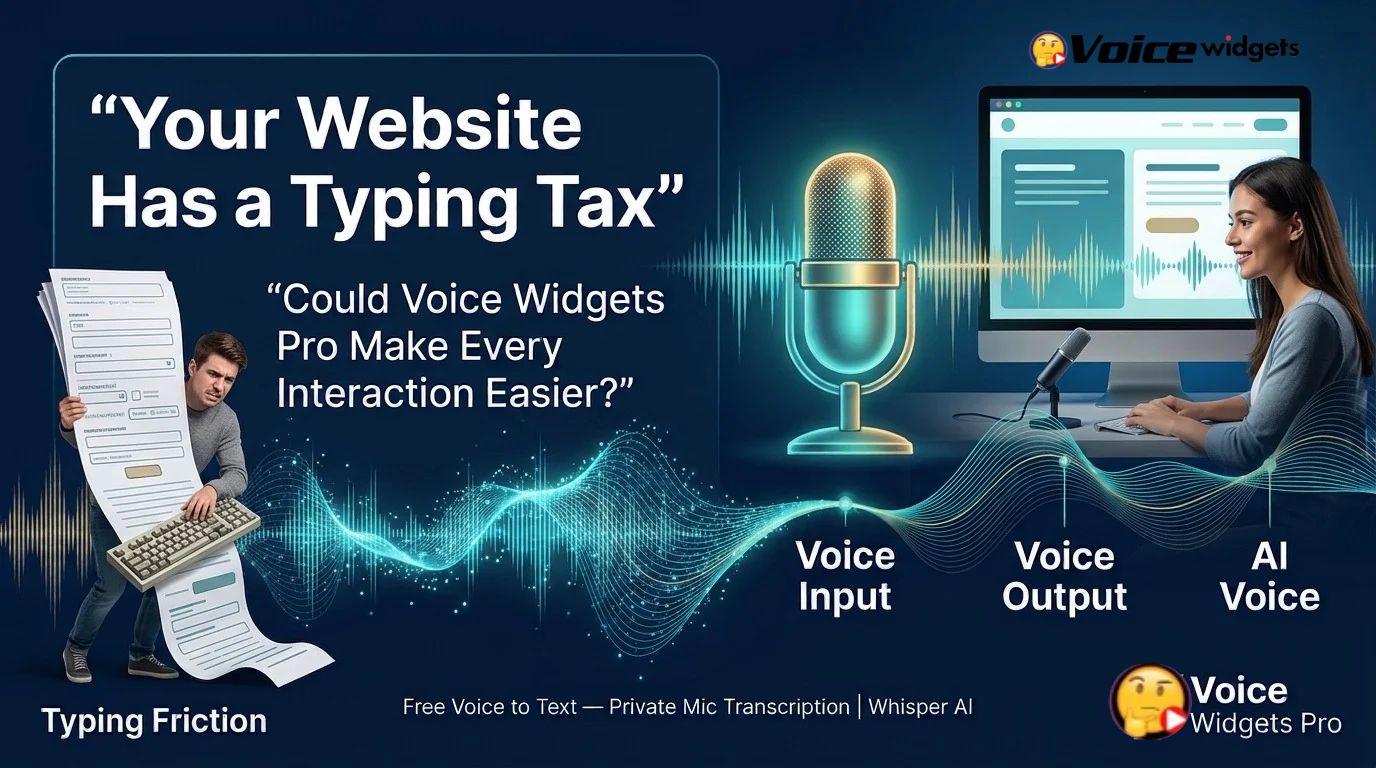
Your Website Has a Typing Tax—Could Voice Widgets Pro Help Visitors Pay Less of It?

A new way to measure website interaction friction, rethink digital experiences, and discover where voice technology can make online tasks easier.
Every website asks visitors to do something.
Search for a product. Explain a problem. Complete a form. Ask a question. Find information. Describe what they need.
Most websites expect visitors to perform these tasks by typing, clicking, and navigating through predefined interfaces. That approach works well for many situations, but it can also create unnecessary effort.
A visitor using a mobile phone may struggle to type a detailed question. A customer may know exactly what they want to ask but find a long form frustrating. A user may prefer listening to information rather than reading several paragraphs. Another visitor may simply want a faster way to communicate.
These situations reveal a potentially overlooked website experience problem: the effort required to interact with a website.
This article calls that effort the Typing Tax.
The Typing Tax is a proposed concept for understanding the time, attention, physical effort, and cognitive work visitors spend expressing themselves through text-based interfaces. The concept is not an established scientific metric, and its impact on conversions must be measured rather than assumed.
For website owners, the important question is straightforward: could offering voice interaction reduce unnecessary friction for particular visitors and tasks?

Voice Widgets Pro provides a practical starting point for exploring that question through three capabilities: Voice Input, Voice Output, and AI Voice. Instead of treating voice as a novelty, website owners can investigate where voice-enabled interaction may improve usability, accessibility, information discovery, and customer communication.
The opportunity is not to eliminate typing everywhere. The opportunity is to give visitors a better way to interact when typing is not the most convenient option.
What Is the Typing Tax, and Why Should Website Owners Care?
The Typing Tax describes the cumulative effort visitors may experience when a website requires them to enter information through text-based interfaces.
Typing itself is not a problem. Search boxes, text fields, and written messages remain essential parts of digital communication. The friction appears when the required input becomes unnecessarily difficult, repetitive, lengthy, or poorly suited to the visitor’s circumstances.
Consider a customer looking for a particular product.
The customer knows the product’s purpose but does not know its exact name. A conventional website search may require several attempts. The customer must think of alternative keywords, type each query, review the results, and repeat the process.
A voice-enabled interaction could offer another way to express the same need, provided the website supports suitable speech recognition and search functionality.
The same principle applies to customer inquiries, feedback forms, content discovery, and other interactions where spoken language may be a convenient alternative.
How Voice Widgets Pro Relates to the Typing Tax
Voice Widgets Pro can help website owners explore voice-enabled experiences through Voice Input, Voice Output, and AI Voice.
- Voice Input: Voice Widgets Pro can be considered for workflows where visitors benefit from speaking rather than manually entering text, subject to the feature’s supported input behavior.
- Voice Output: Voice Widgets Pro can support exploration of spoken information delivery where audio output is available and appropriate.
- AI Voice: Voice Widgets Pro can be evaluated for voice-oriented experiences involving AI, depending on the specific functionality and configuration available in the installed version.
These capabilities represent different parts of a potential voice interaction. They should not automatically be treated as one complete conversational system. Website owners should verify which functions are available and whether additional integrations are required.
The business objective is to identify specific tasks where voice makes an experience more convenient—not to add a microphone to every page simply because voice technology is available.
How Does Typing Create Hidden Friction on a Website?
Typing friction can appear in several ways. Understanding these situations helps website owners identify where Voice Widgets Pro might be relevant.
1. Mobile Visitors Must Enter Detailed Information
Mobile visitors often interact with websites while commuting, shopping, comparing products, or moving between tasks. Entering a long question on a small keyboard may require more effort than speaking the same question.
For example, a customer might want to ask whether a particular device supports a specific phone model. A text-based interface requires the customer to compose and enter the question. A suitable voice-input workflow could let the customer speak the request instead.
Voice Widgets Pro gives website owners a product to evaluate when exploring this alternative.
However, voice is not automatically faster in every mobile environment. Background noise, microphone permissions, recognition errors, and the need to review recognized text can affect the experience.
2. Long Forms Demand Repeated Effort
Forms often request names, descriptions, preferences, feedback, and other information. Some fields are short and structured, while others require visitors to explain a problem in their own words.
A long description field may be a good candidate for optional voice input. A customer could explain the issue naturally and then review the recognized text before submitting the form.
Voice Widgets Pro may be useful in evaluating this kind of interaction where compatible voice-input functionality is available.
Voice input should not replace every form field. Dates, email addresses, payment information, and other structured values may still be easier to enter or verify through conventional controls.
3. Visitors Struggle to Find the Right Words
Visitors do not always know the terminology used by a website.
A customer may understand a problem but not know the technical term needed to search for a solution. Another customer may have a detailed question that is difficult to express as a short keyword query.
Speaking can sometimes make it easier to describe a need in ordinary language. Nevertheless, speech recognition and downstream search systems must interpret the request correctly for this approach to be useful.
Voice Widgets Pro can be evaluated as part of a broader strategy for making information discovery more flexible.
4. Reading Is Not Always the Preferred Way to Receive Information
Some visitors prefer listening to information, particularly when reviewing instructions, learning about a product, or consuming content while performing another task.
Voice Output from Voice Widgets Pro is relevant to this area of exploration.
Spoken information may help some users, but audio should not become the only way to access essential information. Visitors need control over playback, and written alternatives remain important for accessibility, privacy, and noisy environments.
5. Language and Communication Preferences Differ
A visitor may find speaking easier than typing a long explanation, particularly when using a mobile device or unfamiliar keyboard.
However, speech recognition quality varies across languages, accents, speaking styles, and technical vocabulary. Voice-enabled websites should be tested with the actual languages and users they intend to support.
Voice Widgets Pro should therefore be evaluated against real audience requirements rather than assumptions about which visitors will benefit.
What Is the Typing Friction Index?
The Typing Friction Index is a proposed website-audit framework introduced in this article. It offers a simple way to identify interactions that may deserve further investigation.
The framework is not a validated scientific scale, an industry standard, or a built-in Voice Widgets Pro analytics feature. It is a starting point for structured usability reviews.
The audit examines four categories.
| Category | What to investigate | Example of high friction |
| Form length | How much text must visitors enter? | A lengthy description is mandatory |
| Mobile typing difficulty | How difficult is input on smaller screens? | Repeatedly entering long product questions |
| Language and spelling difficulty | How hard is it to express the request accurately? | Unfamiliar technical terminology |
| Correction and re-entry effort | How often must visitors correct or repeat input? | Long descriptions repeatedly rejected by a form |
Score each category from zero to five:
- 0: Little or no observable friction.
- 1: Minor inconvenience.
- 2: Noticeable but manageable effort.
- 3: Moderate difficulty.
- 4: Significant difficulty.
- 5: Severe difficulty that may justify redesign or testing.
Add the four scores to produce a total between zero and twenty.
For this proposed audit, website owners might use the following preliminary interpretation:
| Total score | Suggested interpretation |
| 0–7 | Lower apparent friction |
| 8–13 | Moderate apparent friction |
| 14–20 | Higher apparent friction |
These ranges are illustrative, not validated thresholds. A high score does not prove that visitors are abandoning a task, and a low score does not prove that an interaction works well.
How Should Website Owners Use the Typing Friction Index?
Start by identifying three to five important website tasks. Examples include submitting an inquiry, searching for a product, requesting support, or completing a detailed feedback form.
Score each task independently. Record the evidence supporting every score instead of relying only on personal opinion.
Next, compare the audit with available website analytics, form-completion data, support inquiries, usability observations, or user feedback.
Finally, select one high-friction task for a controlled experiment using Voice Widgets Pro where a suitable voice capability is available.
The purpose of the Typing Friction Index is to prioritize investigation. Actual user behavior should determine whether a voice-enabled alternative deserves wider adoption.
Where Could Voice Widgets Pro Make the Biggest Difference?

Voice technology is most promising when it solves a specific interaction problem. The following use cases provide starting points for testing Voice Widgets Pro.
Use Case 1: Voice Input for Detailed Customer Inquiries
A business website may receive questions about pricing, compatibility, delivery, installation, or product selection.
A conventional contact form might require visitors to type lengthy explanations. A voice-input alternative could let visitors dictate their descriptions, review the resulting text, and submit the inquiry through the normal process.
Voice Widgets Pro is worth evaluating for this workflow if its supported Voice Input functionality fits the form and website environment.
Measure success using: form completion rate, input errors, time to completion, and the percentage of submissions containing enough information to answer the inquiry.
Use Case 2: Voice Input for Product Discovery
Customers sometimes search using incomplete product names or informal descriptions.
A customer might want a compact device for a small desk without knowing the exact product category. A voice-input interface could provide another way to express the requirement.
However, converting speech into text is only one part of product discovery. A useful search experience must also interpret the request and return relevant results.
Voice Widgets Pro may contribute to the voice-input layer, while the site’s search engine or another compatible system handles retrieval.
Measure success using: successful searches, result relevance, product-page visits, search refinements, and completed purchases.
Use Case 3: Voice Output for Instructions and Explanations
Some website visitors may prefer hearing information rather than reading lengthy instructions.
Voice Output from Voice Widgets Pro is relevant when evaluating spoken delivery for suitable content or responses.
A useful implementation should let visitors control playback and access the original written information. Important warnings, prices, policies, and technical instructions should remain available in text.
Measure success using: task completion, comprehension, playback completion, user satisfaction, and accessibility feedback.
Use Case 4: AI Voice for More Flexible Interactions
AI Voice can be explored for experiences where spoken interaction forms part of a larger AI-powered workflow, depending on the capabilities supported by Voice Widgets Pro.
For example, a website might investigate whether an AI-assisted experience helps visitors obtain product information or understand complex content.
The implementation must distinguish between voice capture, speech generation, and actual AI reasoning. A microphone does not automatically provide intelligent answers, and spoken output does not guarantee that an AI system understands a request.
Measure success using: answer accuracy, task completion, response quality, user satisfaction, and the rate of unresolved questions.
How Can Businesses Test Voice Against Text?
The strongest way to evaluate Voice Widgets Pro is to test a clearly defined user problem rather than assume that voice will improve conversions.
A controlled experiment can help establish whether the alternative interaction produces meaningful benefits for a particular audience.
Step 1: Select One High-Friction Task
Choose a task where visitors must enter substantial information or repeatedly search for answers.
Examples include a detailed contact form, a product inquiry, or a content-discovery workflow.
Use the Typing Friction Index as an initial screening tool, then confirm the problem using analytics or direct user observation.
Step 2: Establish a Baseline
Measure the current experience before introducing voice functionality.
Record the number of visitors who start and complete the task, the time required, the number of input errors, and the quality of the submitted information.
For a search task, record successful searches, result relevance, and the next action visitors take.
Step 3: Introduce a Voice-Enabled Alternative
Use an appropriate Voice Widgets Pro capability to introduce voice interaction into the selected workflow.
Keep the experience focused. For example, offer voice input for a long description field while retaining normal typing as an alternative.
Verify browser support, microphone permissions, mobile behavior, language compatibility, and privacy requirements before launching the test.
Step 4: Compare the Results
Where practical, randomly assign eligible visitors to a text-based experience or a voice-enabled alternative. Keep the rest of the experience as consistent as possible.
Run the test long enough to collect sufficient data. Sample size, traffic volume, audience differences, and normal conversion fluctuations all affect the reliability of the result.
| Metric | What it reveals |
| Completion rate | Whether more visitors finish the task |
| Time to completion | Whether the interaction becomes faster |
| Input error rate | Whether fewer corrections are needed |
| Abandonment rate | Whether fewer visitors leave before completion |
| Information quality | Whether the business receives usable submissions |
| Conversion rate | Whether the change affects the chosen business outcome |
| User satisfaction | Whether visitors prefer the new experience |
Do not declare success simply because visitors use the microphone. Voice adoption is a usage measure, not proof of better usability or stronger business results.
Step 5: Decide Whether to Expand
If the voice-enabled experience improves the target outcome without introducing unacceptable errors, privacy concerns, or accessibility problems, consider extending the approach to similar tasks.
If the result is neutral or negative, investigate the reason. Visitors may prefer typing, speech recognition may be unreliable, or the underlying task may be poorly designed.
Voice Widgets Pro should be part of a measured improvement process—not a reason to replace a working interface without evidence.
A Worked Example: Can Voice Reduce Form Abandonment?
Consider a hypothetical website that receives 1,000 visits to a contact-form page each month. Suppose 300 visitors start the form and 180 complete it.
The baseline completion rate among form starters is:
180 ÷ 300 × 100 = 60%
Now imagine that a controlled experiment finds a 10-percentage-point improvement in completion among form starters using a voice-enabled alternative.
The experimental completion rate would be 70%, equivalent to 210 completed forms if 300 visitors started the task.
That would mean 30 additional completed forms in this illustrative scenario.
These numbers are hypothetical, not measured results from Voice Widgets Pro. A real experiment would need to establish whether the improvement occurred, whether it was statistically and practically meaningful, and whether the additional submissions were useful to the business.
The example demonstrates why measuring a defined outcome is more informative than simply counting microphone interactions.
How Can Voice Widgets Pro Fit Into a Website’s Voice Strategy?
A successful voice experience requires more than choosing a feature. Website owners should consider the entire interaction, from the first user action to the final outcome.
Voice Input: Make Expressing a Request Easier
Voice Input from Voice Widgets Pro is relevant when visitors need an alternative to typing.
Potential applications include long descriptions, open-ended questions, feedback, and suitable search inputs.
The website should display recognized text when appropriate, provide a correction path, and allow visitors to continue without voice.
Voice Output: Make Information Easier to Consume
Voice Output from Voice Widgets Pro is relevant when spoken information can improve convenience or provide an additional way to access content.
Good implementations should preserve readable text, offer clear playback controls, and avoid automatically playing unexpected audio.
AI Voice: Explore More Natural Voice Experiences
AI Voice from Voice Widgets Pro can be evaluated for use cases involving AI-assisted voice interactions, subject to the installed product’s supported functionality.
Before implementation, verify the processing pipeline, supported languages, integration requirements, usage limits, and any applicable service costs.
Website owners should not assume that Voice Input, Voice Output, and AI Voice automatically combine into a fully autonomous conversational assistant. Each capability should be tested according to its actual behavior.
What Are the Limitations of Voice-Enabled Websites?
Voice interaction is not a universal replacement for text. A responsible strategy recognizes the situations where speaking may be inconvenient, inaccurate, or inappropriate.
Background Noise Can Reduce Recognition Quality
Public places, busy offices, and shared environments can make speech recognition difficult. Voice-enabled websites should retain a practical text-based alternative.
Privacy Can Affect User Confidence
Visitors may not want to speak personal information aloud. Microphone permissions, audio processing, data retention, and third-party services should be explained clearly.
Businesses should collect only the information necessary for the task and follow applicable privacy requirements.
Speech Recognition Can Misinterpret Important Details
Names, email addresses, product codes, numbers, and technical terminology can be particularly sensitive to recognition errors.
Visitors should be able to review and correct important information before submission.
Accessibility Requires Choice
Some visitors cannot speak, prefer not to speak, or use assistive technologies that work better with conventional controls.
Voice interaction should complement keyboard navigation, screen-reader compatibility, readable text, and other accessible design practices. WCAG guidance and relevant accessibility requirements should inform the implementation.
Voice Is Not Always Faster
A short search query may be easier to type than to speak. A visitor in a quiet office may prefer text for privacy. A long voice recording may take longer to review than a concise form.
The appropriate interaction depends on the task, environment, user preference, and quality of the implementation.
The Seven-Day Voice Friction Audit Using Voice Widgets Pro
Website owners can use this seven-day plan to identify one practical voice opportunity without committing to a site-wide redesign.
Day 1 — Map important interactions. List the forms, searches, inquiries, and content tasks that matter to the business.
Day 2 — Identify friction. Apply the proposed Typing Friction Index to three to five tasks and record the evidence behind each score.
Day 3 — Review user behavior. Examine analytics, abandonment patterns, support questions, and usability feedback.
Day 4 — Choose one experiment. Select a task where optional voice input or spoken output could address a clearly defined problem.
Day 5 — Evaluate Voice Widgets Pro. Verify the relevant Voice Input, Voice Output, or AI Voice functionality, technical requirements, browser behavior, and privacy implications.
Day 6 — Test the experience. Ask representative users to complete the task with and without voice. Record errors, task completion, time, and feedback.
Day 7 — Define the next step. Document the findings and decide whether to run a larger controlled experiment, revise the implementation, or keep the existing experience.
This schedule is a practical evaluation plan, not a guarantee that a statistically reliable conversion result can be obtained within seven days.
Frequently Asked Questions About Voice Widgets Pro
What is the Typing Tax in website design?
The Typing Tax is a proposed term for the time, attention, and effort visitors spend entering information through text-based interfaces. The concept can help website owners identify interactions that may benefit from alternative input methods.
Can Voice Widgets Pro eliminate typing on a website?
Voice Widgets Pro should not be expected to eliminate typing across an entire website. Voice interaction is best evaluated as an optional alternative for specific tasks, while conventional text input remains available.
Does voice interaction automatically increase conversions?
No. Voice interaction may reduce friction for some tasks and users, but it can also introduce recognition errors, privacy concerns, and additional steps. Website owners should measure completion rates, errors, user satisfaction, and business outcomes before drawing conclusions.
What is the Typing Friction Index?
The Typing Friction Index is a proposed audit framework introduced in this article. The framework scores form length, mobile typing difficulty, language and spelling difficulty, and correction effort. The score is not scientifically validated and should be used to prioritize investigation rather than predict conversion improvements.
How do Voice Input and Voice Output differ in Voice Widgets Pro?
Voice Input concerns capturing spoken information, while Voice Output concerns delivering information through speech. AI Voice represents a separate area to evaluate for AI-related voice experiences. The precise capabilities and integrations available depend on the installed version and configuration of Voice Widgets Pro.
Is voice input suitable for every contact form?
No. Voice input may help with open-ended descriptions, but structured fields and sensitive information may be easier to enter and verify through text. A good implementation preserves visitor choice and supports correction.
How can businesses measure the value of Voice Widgets Pro?
Businesses can measure task completion, time to completion, input errors, abandonment, information quality, and relevant conversion outcomes. A controlled comparison with the existing text-based experience provides stronger evidence than microphone usage alone.
Is voice interaction an accessibility feature?
Voice interaction can offer an additional way to use a website, but voice alone does not guarantee accessibility. Websites must also consider keyboard access, screen readers, text alternatives, understandable controls, and users who cannot or do not wish to speak.
Conclusion: Stop Assuming Every Visitor Wants to Type
The Typing Tax offers a different way to think about website usability.
Instead of asking only how quickly a website loads or how attractive its interface looks, website owners can ask a more practical question: how much effort must visitors spend to express a need and complete a task?
The answer will differ across audiences and situations. Some visitors will prefer typing. Others may benefit from speaking a question, dictating a description, or listening to information.
Voice Widgets Pro offers a starting point for investigating those alternatives through Voice Input, Voice Output, and AI Voice. The strongest implementation will begin with a real user problem, preserve the visitor’s freedom to choose, and measure whether the new experience actually helps.
The proposed Typing Friction Index can help identify where to begin. A controlled experiment can determine whether the change makes a difference. Real user feedback can reveal problems that analytics alone cannot explain.
The objective is not to make every website voice-first. The objective is to make website interaction more flexible, more convenient, and more responsive to the people using it.
Your visitors should not have to work harder than necessary to communicate what they need.
Start by finding the friction. Test the alternative. Let the evidence decide.