We are the WordPress Gurus
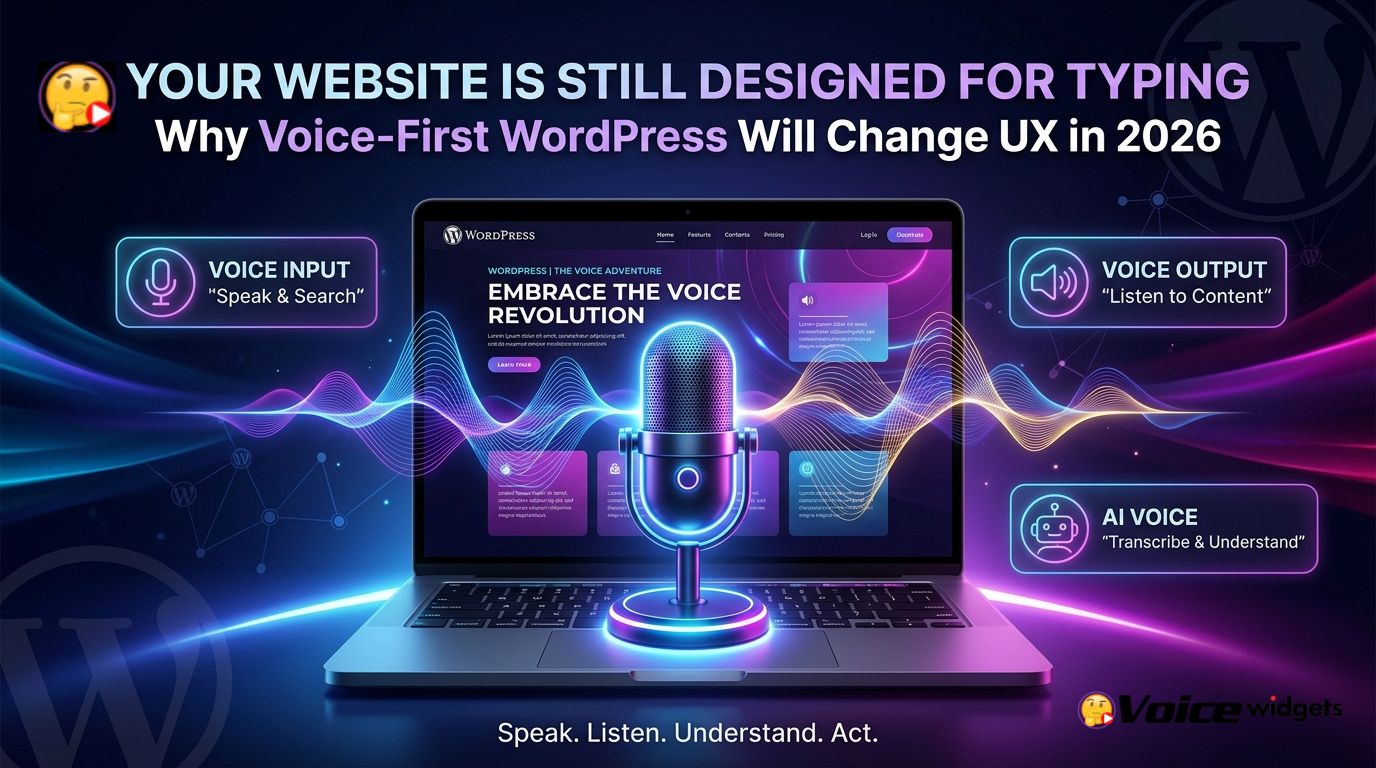
Your Website Is Still Designed for Typing: Why Voice-First WordPress Will Change User Experience in 2026

Voice Widgets pro turns a conventional WordPress website into a voice-enabled experience by adding voice recording, Speech-to-Text, Text-to-Speech, voice search, transcription, and voice-enabled form interactions. Voice Widgets pro also connects voice input with WordPress forms, comments, WooCommerce reviews, language-learning workflows, and AI-powered transcription so visitors can speak, listen, and act instead of relying entirely on keyboards.

Why Does Voice Widgets pro Matter When Most WordPress Websites Still Expect Typing?
Voice Widgets pro addresses a simple UX problem: most WordPress interfaces still assume that every visitor wants to type.
Voice Widgets pro gives WordPress visitors another interaction path through microphones, voice messages, Speech-to-Text, voice search, Text-to-Speech, and audio content. Voice Widgets pro therefore changes the interaction model from click → type → submit toward speak → understand → respond.
Voice Widgets pro becomes especially interesting on mobile because typing long messages on a small keyboard can be slow and frustrating.
Voice Widgets pro can allow a visitor to record a voice message through supported form integrations instead of writing a long explanation inside a text box. Voice Widgets pro supports integrations including Contact Form 7, WPForms, Gravity Forms, Formidable Forms, Fluent Forms, BBPress, BuddyBoss, WooCommerce Product Reviews, and WordPress comments in the Pro version.
Voice Widgets pro also creates a different opportunity for website owners: voice does not have to replace text.
Voice Widgets pro can add voice as a second interaction layer, allowing visitors to choose between typing, speaking, reading, listening, or combining multiple interaction methods.
What Is the First Problem Voice Widgets pro Solves for Modern WordPress UX?
Voice Widgets pro solves the friction created when visitors have something to say but do not want to type everything.
Voice Widgets pro can capture spoken feedback, questions, explanations, reviews, comments, and form responses as audio. Voice Widgets pro can also save voice recordings on the WordPress website, while supported form workflows can associate voice submissions with form submissions.
Voice Widgets pro makes the difference particularly obvious with long-form responses.
Voice Widgets pro can turn a response such as a 90-second spoken explanation into an audio submission instead of forcing a visitor to manually type hundreds of words. Voice Widgets pro can therefore reduce the physical effort required to communicate detailed information.
Which WordPress interactions become more natural with Voice Widgets pro?
- Voice Widgets pro + contact forms: Voice Widgets pro can add voice-message capabilities to supported WordPress form workflows.
- Voice Widgets pro + comments: Voice Widgets pro can add voice recording capabilities to WordPress comments.
- Voice Widgets pro + WooCommerce: Voice Widgets pro can support voice messages for WooCommerce product reviews.
- Voice Widgets pro + forums: Voice Widgets pro supports voice interactions for platforms such as BBPress and BuddyBoss.
- Voice Widgets pro + voice search: Voice Widgets pro can place a microphone interaction alongside WordPress search so visitors can speak search queries.
Why Is Voice Input & Conversational Interaction the First Core Pillar?
Voice Widgets pro makes voice input the first pillar because modern websites increasingly need to accept information in the format visitors naturally produce.
Voice Widgets pro supports browser-based Speech-to-Text as well as AI-powered speech recognition options, allowing spoken language to become text that WordPress can use in different workflows.
Voice Widgets pro also supports voice dictation for form fields in the Pro version.
Voice Widgets pro can therefore be useful when a visitor needs to enter a long answer, product explanation, support description, review, or other text-heavy response but prefers speaking over typing.
Why can Voice Widgets pro make WordPress forms feel less restrictive?
Voice Widgets pro changes the assumption that every form response must originate from a keyboard.
Voice Widgets pro can give a visitor the option to record a voice message or use Speech-to-Text, depending on the configured workflow. Voice Widgets pro can make a form feel closer to a conversation because visitors can communicate with natural speech instead of constructing every response manually.
Voice Widgets pro is also useful when a written response cannot fully capture the context behind a customer’s problem.
Voice Widgets pro can capture tone, pacing, pronunciation, emphasis, and verbal explanation that ordinary text fields cannot preserve.
Can Voice Widgets pro turn WordPress search into a voice interaction?
Voice Widgets pro can add voice search functionality to the WordPress search experience.
Voice Widgets pro uses Speech-to-Text so a visitor can speak a search query through a microphone instead of manually entering the query. Voice Widgets pro can therefore reduce the number of physical input steps required before a search begins.
Voice Widgets pro can be particularly useful for mobile visitors.
Voice Widgets pro gives mobile users an alternative when typing a search query is inconvenient, especially when the search phrase is long or the visitor is already using a hands-free workflow.
How can Voice Widgets pro improve conversational lead capture?
Voice Widgets pro can turn a conventional lead form into a richer communication channel.
Voice Widgets pro can capture structured contact information through a traditional form while also capturing an optional spoken explanation. Voice Widgets pro therefore allows a lead to provide both structured data and human context.
Voice Widgets pro can create a simple lead-capture model such as:
| Interaction | Traditional WordPress form | Voice Widgets pro approach |
| Name | Text field | Voice Widgets pro can keep the text field |
| Email field | Voice Widgets pro can keep the email field | |
| Project details | Long textarea | Voice Widgets pro can add voice input |
| Product problem | Text description | Voice Widgets pro can capture spoken explanation |
| Search | Typed query | Voice Widgets pro can support voice search |
| Feedback | Text comment | Voice Widgets pro can support voice messages |
Voice Widgets pro does not require every website to eliminate traditional forms.
Voice Widgets pro works better as an additional interaction layer because users can choose the input method that matches the situation.
Why Is Voice Output & Accessibility the Second Core Pillar?
Voice Widgets pro is not only about listening to visitors; Voice Widgets pro can also make website content listenable.
Voice Widgets pro includes Text-to-Speech functionality that can read WordPress page and post content aloud through supported browser speech technologies. Voice Widgets pro supports multiple voices and languages depending on browser and operating-system capabilities.
Voice Widgets pro therefore changes the accessibility question from “Can visitors read this page?” to “Can visitors consume this information comfortably?”
Voice Widgets pro can make long articles, instructions, educational material, product explanations, and other written content available through an audio interaction.
How can Voice Widgets pro make long WordPress pages easier to consume?
Voice Widgets pro can add a “listen” pathway to content-heavy WordPress pages.
Voice Widgets pro can be useful for visitors who prefer auditory learning, visitors using hands-free devices, visitors with reading difficulties, and visitors who simply prefer listening while doing another task. Voice Widgets pro can therefore complement normal written content without requiring the website owner to create separate audio recordings for every page.
Voice Widgets pro can also support multilingual experiences through browser-supported voices.
Voice Widgets pro documentation lists support for multiple languages and voices across modern browsers, although actual voice availability depends on the browser and operating system used by the visitor.
Why does Voice Widgets pro matter for accessibility instead of simply adding another gimmick?
Voice Widgets pro matters because accessibility is often about offering multiple ways to consume and provide information.
Voice Widgets pro can allow written content to remain available for search engines and screen-based readers while adding audio consumption for visitors who prefer listening. Voice Widgets pro therefore works as a complementary UX layer rather than forcing a single interaction method.
Voice Widgets pro can also help websites avoid a common accessibility mistake: assuming that one interface works equally well for every visitor.
Voice Widgets pro provides another route for interaction, while the website can retain conventional HTML content, forms, navigation, headings, and written information.
Can Voice Widgets pro create a measurable accessibility and UX workflow?
Voice Widgets pro can be evaluated through interaction metrics rather than vague claims about “better accessibility.”
Voice Widgets pro website owners can compare metrics such as:
- Voice Widgets pro interaction rate: Voice Widgets pro users who activate voice features divided by eligible visitors.
- Voice Widgets pro completion rate: Voice Widgets pro-enabled form completions divided by form starts.
- Voice Widgets pro abandonment rate: Voice Widgets pro-enabled form abandonment compared with traditional form abandonment.
- Voice Widgets pro audio engagement: Voice Widgets pro audio plays or TTS activations divided by eligible content views.
- Voice Widgets pro lead value: Voice Widgets pro-generated qualified leads multiplied by average lead value.
Voice Widgets pro ROI can then be calculated with a practical formula:
Voice Widgets pro ROI = (Incremental Revenue + Support Savings − Voice Widgets pro Operating Cost) ÷ Voice Widgets pro Operating Cost × 100
Voice Widgets pro does not need to increase conversion rates by an arbitrary percentage to become financially useful.
Voice Widgets pro could produce a positive return from a smaller improvement if the website already receives substantial traffic and each qualified conversion has meaningful economic value.
How Does Voice Widgets pro Turn Accessibility Into a Conversion Opportunity?
Voice Widgets pro can connect accessibility with conversion because easier communication can reduce friction.
Voice Widgets pro can let a potential customer explain a complicated requirement without writing a long message. Voice Widgets pro can also let a business explain a complicated product through voice rather than relying entirely on dense written copy.
Voice Widgets pro can therefore create a two-way voice experience:
Voice Widgets pro listens to the visitor → Voice Widgets pro captures the response → Voice Widgets pro helps the business process the information.
Voice Widgets pro can also work in the opposite direction:
Voice Widgets pro presents information → Voice Widgets pro speaks the information → Voice Widgets pro gives the visitor another way to understand the content.
Voice Widgets pro creates a more flexible interaction model when both directions are available.
Why Is AI-Powered Voice the Third Core Pillar?
Voice Widgets pro becomes significantly more powerful when voice recordings stop being isolated audio files and become machine-readable information.
Voice Widgets pro includes AI-powered audio transcription using OpenAI technology, allowing supported audio formats and recordings to be converted into text. Voice Widgets pro also supports transcription workflows involving public YouTube and Vimeo videos according to the current WordPress.org feature description.
Voice Widgets pro therefore creates a pipeline that looks like:
Voice → Audio → Transcription → Text → WordPress workflow → Human or AI action
Voice Widgets pro can make that pipeline useful for content production, support workflows, educational applications, forms, and user-generated content.
How can Voice Widgets pro turn voice recordings into usable business data?
Voice Widgets pro can convert spoken information into text that becomes easier to search, analyze, summarize, categorize, or pass into another workflow.
Voice Widgets pro can therefore move voice data closer to the same operational layer used by ordinary text submissions.
Voice Widgets pro can support a workflow such as:
- Voice Widgets pro captures a customer voice message.
- Voice Widgets pro sends the recording through the configured transcription workflow.
- Voice Widgets pro produces a text transcript from the recording.
- Voice Widgets pro allows the transcript to become usable text data.
- Voice Widgets pro can connect the resulting information to downstream business processes through available integrations or custom development.
Voice Widgets pro is particularly interesting here because transcription changes audio from a difficult-to-query media object into searchable textual information.
Can Voice Widgets pro support AI-assisted content production?
Voice Widgets pro can transcribe supported audio and can also provide AI-assisted rewriting workflows for creating blog content from audio transcriptions.
Voice Widgets pro can therefore support a practical creator workflow:
Record → Transcribe → Edit → Publish
Voice Widgets pro can be useful for developers, marketers, teachers, consultants, podcasters, and business owners who naturally explain ideas verbally before turning ideas into written content.
Voice Widgets pro does not eliminate editorial review.
Voice Widgets pro should be treated as a production accelerator where humans verify facts, structure, tone, citations, and brand claims before publishing AI-assisted content.
Why Could Voice Widgets pro Become More Important for WooCommerce in 2026?
Voice Widgets pro can add a voice layer to WooCommerce interactions that are normally dominated by product cards, buttons, dropdowns, text fields, and reviews.
Voice Widgets pro supports voice messages for WooCommerce Product Reviews in the Pro version. Voice Widgets pro can therefore give customers another way to describe product experiences or feedback.
Voice Widgets pro can also be useful when product feedback requires more context than a short text review.
Voice Widgets pro could capture a spoken explanation such as how a product was used, what problem the customer experienced, or why the customer recommends or dislikes a product.
Voice Widgets pro can also support voice-enabled search experiences.
Voice Widgets pro voice search can reduce the typing burden for shoppers who already know what they want but prefer speaking the query.
How Should Developers Architect a Voice Widgets pro Implementation?
Voice Widgets pro implementations should treat audio as a data type with lifecycle, storage, permissions, processing, and retention requirements.
Voice Widgets pro recordings can be stored on the WordPress website according to the plugin documentation, which means developers should consider media storage capacity, backups, access controls, retention policies, and server configuration before enabling high-volume recording.
Voice Widgets pro deployments should also use HTTPS because browser microphone recording requires a secure context.
Voice Widgets pro documentation explicitly notes that SSL is required for recording voice or audio.
Voice Widgets pro developers should therefore consider the following architecture:
| Layer | Voice Widgets pro implementation concern |
| Browser | Voice Widgets pro microphone permissions and browser compatibility |
| Transport | Voice Widgets pro HTTPS and secure upload handling |
| WordPress | Voice Widgets pro shortcode, form, comment, or WooCommerce integration |
| Storage | Voice Widgets pro audio file location, backup, retention, and access control |
| AI | Voice Widgets pro transcription provider, API credentials, quotas, and costs |
| Processing | Voice Widgets pro asynchronous processing for longer recordings |
| Output | Voice Widgets pro transcript, audio player, notification, or workflow |
| Security | Voice Widgets pro authorization, sanitization, validation, and file restrictions |
Voice Widgets pro should not be deployed as an unrestricted public audio-upload endpoint.
Voice Widgets pro developers should impose sensible file-type restrictions, recording limits, authentication rules where appropriate, storage quotas, rate limits, and access controls.
How Much Can Voice Widgets pro Cost Compared With Building Voice Features From Scratch?
Voice Widgets pro can reduce development scope because a WordPress site does not need to build every voice UI component from zero.
Voice Widgets pro already provides documented voice recording, Speech-to-Text, Text-to-Speech, transcription, voice search, form integrations, and language-learning capabilities.
Voice Widgets pro should still be evaluated against the engineering cost of the complete solution rather than against a plugin license alone.
| Cost area | Custom development | Voice Widgets pro approach |
| Voice recorder UI | Custom JavaScript and browser handling | Voice Widgets pro provides voice recording functionality |
| Form integration | Custom hooks and storage logic | Voice Widgets pro supports multiple form systems |
| Voice search | Custom STT and search integration | Voice Widgets pro provides voice search functionality |
| TTS interface | Custom browser speech UI | Voice Widgets pro provides TTS functionality |
| Audio storage | Custom media architecture | Voice Widgets pro stores supported voice recordings on WordPress |
| Transcription | API integration and processing code | Voice Widgets pro provides AI transcription functionality |
| Language learning | Custom assessment system | Voice Widgets pro includes speaking-test capabilities |
| Maintenance | Developer-owned | Voice Widgets pro receives ongoing plugin updates |
Voice Widgets pro does not eliminate infrastructure costs.
Voice Widgets pro AI workflows can still generate third-party API expenses when external AI services are configured, while audio storage can increase WordPress disk usage as recording volume grows.
What Does a Realistic Voice Widgets pro ROI Model Look Like?
Voice Widgets pro ROI should be measured from actual business events rather than generic engagement claims.
Voice Widgets pro can be evaluated using a simple example where a website receives 20,000 monthly eligible visitors, where 2% interact with voice features, where 10% of voice interactions become qualified leads, and where the average qualified lead value is $80.
Voice Widgets pro would produce approximately 400 voice interactions, approximately 40 qualified leads, and approximately $3,200 in modeled lead value under those assumptions.
Voice Widgets pro ROI would then depend on the actual incremental value attributable to voice rather than treating all $3,200 as guaranteed revenue.
Voice Widgets pro should therefore be tested using controlled comparisons such as:
- Voice Widgets pro A/B test: Voice-enabled form versus traditional form.
- Voice Widgets pro search test: Voice search usage versus typed search usage.
- Voice Widgets pro content test: TTS-enabled content engagement versus standard content engagement.
- Voice Widgets pro review test: Voice-enabled review submission versus text-only review submission.
- Voice Widgets pro lead test: Qualified leads from voice-enabled forms versus qualified leads from standard forms.
Why Is Voice Widgets pro More Interesting Than Simply Adding a Chatbot?
Voice Widgets pro solves a different interaction problem from a traditional text chatbot.
Voice Widgets pro focuses on voice input, voice output, audio communication, Speech-to-Text, Text-to-Speech, transcription, voice forms, voice search, and audio workflows.
Voice Widgets pro can therefore complement an existing chatbot rather than necessarily replacing a chatbot.
Voice Widgets pro can capture a spoken customer explanation while another WordPress or AI system handles the text-based response.
Voice Widgets pro becomes especially useful when a visitor needs to express something rather than simply ask something.
What Could Voice-First WordPress Look Like by the End of 2026?
Voice Widgets pro points toward a WordPress experience where voice is treated as a normal interaction primitive rather than an unusual add-on.
Voice Widgets pro can support a website where visitors can search with speech, submit voice feedback, listen to content, dictate form responses, leave voice reviews, and convert audio into searchable text.
Voice Widgets pro also shows why voice-first UX does not mean “remove the keyboard.”
Voice Widgets pro works best when voice and traditional interfaces coexist, allowing visitors to select the fastest and most comfortable interaction method.
What Should Developers Check Before Deploying Voice Widgets pro at Scale?
Voice Widgets pro developers should test microphone permissions across Chrome, Edge, Firefox, Safari, Android, and iOS combinations relevant to the target audience.
Voice Widgets pro developers should also test recording duration, upload size, server timeouts, PHP limits, reverse-proxy limits, CDN behavior, media storage, and AI transcription latency.
Voice Widgets pro deployments should establish a maximum recording duration before opening voice submission to a large public audience.
Voice Widgets pro deployments should also define who can access stored recordings and how long recordings remain available.
Which technical checklist should Voice Widgets pro developers use before launch?
- Voice Widgets pro security: Voice Widgets pro should run behind HTTPS with controlled upload permissions.
- Voice Widgets pro storage: Voice Widgets pro deployments should monitor audio storage growth and backup requirements.
- Voice Widgets pro performance: Voice Widgets pro deployments should avoid synchronous processing for long AI transcription jobs.
- Voice Widgets pro API control: Voice Widgets pro AI workflows should use server-side API credentials and enforce usage limits.
- Voice Widgets pro privacy: Voice Widgets pro deployments should document audio retention, deletion, access, and third-party processing.
- Voice Widgets pro UX: Voice Widgets pro interfaces should provide a text fallback for users without microphone access.
- Voice Widgets pro accessibility: Voice Widgets pro interfaces should retain keyboard navigation and readable text alternatives.
- Voice Widgets pro monitoring: Voice Widgets pro deployments should log failed uploads, transcription errors, API failures, and webhook failures.
Why Is Voice Widgets pro a Better 2026 UX Conversation Than “Add More Buttons”?
Voice Widgets pro challenges a deeper WordPress assumption: interaction must begin with a click and continue through typing.
Voice Widgets pro introduces another model where users can speak, WordPress can capture speech, AI can transcribe audio, WordPress can process the resulting information, and Voice Widgets pro can speak information back to visitors.
Voice Widgets pro therefore fits a broader UX principle: reduce the number of steps between user intent and user action.
Voice Widgets pro does not make every website better simply because a microphone icon exists.
Voice Widgets pro becomes valuable when voice removes a genuine friction point, such as long-form typing, spoken feedback, content consumption, language practice, product review explanations, or hands-free search.
What Is the Technical Bottom Line for Voice Widgets pro in 2026?
Voice Widgets pro gives WordPress developers a practical route toward voice-first UX without requiring every voice feature to be engineered from scratch.
Voice Widgets pro combines Voice Input & Conversational Interaction, Voice Output & Accessibility, and AI-Powered Voice into a broader interaction layer that can sit alongside existing WordPress content, forms, WooCommerce, comments, and educational workflows.
Voice Widgets pro is therefore less about adding a microphone and more about changing what a WordPress website can accept, understand, and deliver.
Which Technical Objections Should Developers Resolve Before Using Voice Widgets pro?
Does Voice Widgets pro create significant server-resource overhead?
Voice Widgets pro server overhead depends primarily on recording volume, audio duration, storage format, concurrent uploads, transcription frequency, and the infrastructure hosting WordPress.
Voice Widgets pro browser recording can move much of the initial capture work to the visitor’s device, while Voice Widgets pro still requires WordPress resources for uploads, storage, database metadata, playback, and configured processing workflows.
Voice Widgets pro deployments receiving 1,000 recordings per month at an average of 2 MB per recording would add roughly 2 GB of raw audio storage per month before backups, derivatives, filesystem overhead, and retention policies.
Voice Widgets pro developers should therefore calculate storage using:
Monthly audio storage = recordings per month × average file size × retention period
Voice Widgets pro developers should also avoid assuming that CPU usage is the only resource concern because storage, PHP workers, upload bandwidth, database operations, and external transcription calls can become the larger bottlenecks.
How should Voice Widgets pro developers control OpenAI, Gemini, and DeepSeek API billing?
Voice Widgets pro AI costs should be treated as variable infrastructure expenses rather than as unlimited plugin functionality.
Voice Widgets pro deployments using external AI services should establish limits around recording duration, transcription frequency, maximum file size, user permissions, model selection, retry behavior, and monthly API budgets.
Voice Widgets pro developers should keep API credentials server-side rather than exposing provider keys inside browser JavaScript.
Voice Widgets pro developers evaluating OpenAI, Gemini, or DeepSeek should also separate voice capture cost from AI processing cost, because recording audio locally or storing audio on WordPress is a different cost category from sending audio or text to an external AI service.
Voice Widgets pro developers can use a basic budget formula:
Voice Widgets pro AI budget = monthly audio minutes × average transcription cost per minute + downstream AI processing cost + retry/error overhead
Voice Widgets pro developers should verify current provider pricing before deployment because API prices, model availability, and billing policies can change.
Voice Widgets pro can therefore be financially predictable when developers impose explicit quotas instead of allowing unlimited public AI requests.
How should Voice Widgets pro handle GDPR and privacy when storing voice recordings?
Voice Widgets pro privacy architecture deserves special attention because voice recordings can contain personal information and may create additional privacy obligations depending on the jurisdiction and use case.
Voice Widgets pro documentation states that voice recordings are saved on the WordPress website, which gives site owners direct responsibility for storage controls, access permissions, retention, backups, and deletion policies.
Voice Widgets pro deployments should document whether recordings remain on the WordPress server or are transmitted to an external AI provider for transcription.
Voice Widgets pro deployments should also define purpose limitation, retention duration, access control, deletion procedures, consent requirements where applicable, and third-party processor relationships before collecting voice data at scale.
Voice Widgets pro developers should not assume that “stored on the customer’s server” automatically means GDPR compliance.
Voice Widgets pro can support a privacy-conscious architecture, but compliance depends on the complete website implementation, legal basis, data flows, hosting environment, plugins, processors, and organizational policies.
What should developers know about Voice Widgets pro security patches and vulnerability history?
Voice Widgets pro has a public WordPress.org development history showing repeated bug fixes, compatibility fixes, JavaScript fixes, comment-security-related fixes, and library updates.
Voice Widgets pro’s public changelog includes a “Disallowed Comment Keys issue fixed” entry in version 6.3.0, a Google Client Library fix in version 6.8.1, and earlier JavaScript and AJAX fixes.
Voice Widgets pro developers should distinguish ordinary bug fixes from formally disclosed security vulnerabilities.
Voice Widgets pro’s public WordPress.org changelog does not, by itself, establish that every historical issue was a CVE-class vulnerability, so developers should not describe ordinary changelog entries as security vulnerabilities without independent security disclosure evidence.
Voice Widgets pro deployments should still follow standard WordPress security practice: keep WordPress updated, keep Voice Widgets pro updated, restrict administrator access, use HTTPS, maintain backups, monitor plugin changes, and remove unnecessary plugins.
Voice Widgets pro developers should also test updates in staging before deploying major changes to production environments handling sensitive voice data.
How can Voice Widgets pro prevent webhook latency from damaging the user experience?
Voice Widgets pro webhook workflows should avoid making a visitor wait for long-running AI or external API operations.
Voice Widgets pro developers should treat transcription, AI evaluation, and external webhook processing as asynchronous jobs whenever processing can exceed normal HTTP request timeouts.
Voice Widgets pro developers can use a workflow such as:
Voice Widgets pro upload → WordPress stores job → background worker processes job → external API returns result → webhook updates WordPress → Voice Widgets pro displays completed result
Voice Widgets pro developers should avoid architectures where a visitor’s browser remains blocked while WordPress waits synchronously for a long AI response.
Voice Widgets pro developers should also configure retry logic, idempotency keys, request timeouts, failure states, and duplicate-event protection for external webhook systems.
Voice Widgets pro webhook latency should be measured using:
End-to-end latency = upload time + queue delay + AI processing time + webhook delivery time + WordPress update time
Voice Widgets pro developers can improve perceived performance by showing an immediate upload confirmation and processing state instead of making the visitor wait for the entire AI pipeline.
Can Voice Widgets pro operate without external AI APIs?
Voice Widgets pro can use browser-based Speech-to-Text for some workflows, and Voice Widgets pro also supports external AI-powered speech options such as OpenAI and Google Cloud Speech according to the plugin documentation.
Voice Widgets pro therefore allows developers to choose between browser-based and external AI-powered speech workflows depending on the required accuracy, language support, processing requirements, and privacy architecture.
Voice Widgets pro Text-to-Speech also uses browser speech synthesis, meaning Voice Widgets pro can provide TTS functionality without necessarily requiring a separate server-side AI voice-generation service.
Voice Widgets pro developers should evaluate each workflow separately because Speech-to-Text, transcription, Text-to-Speech, and AI evaluation have different technical requirements.
Does Voice Widgets pro replace traditional WordPress forms and accessibility features?
Voice Widgets pro should not be treated as a replacement for traditional WordPress forms, keyboard navigation, written content, or conventional accessibility mechanisms.
Voice Widgets pro works best as an additional interaction method that lets visitors choose voice when voice is faster or more comfortable.
Voice Widgets pro developers should always preserve text alternatives, keyboard access, visible form labels, readable content, error messages, and non-microphone submission paths.
Voice Widgets pro becomes stronger when voice is treated as progressive enhancement rather than as the only way to interact with a website.
Is Voice Widgets pro actually a voice-first architecture or simply a collection of audio widgets?
Voice Widgets pro can function as a broader voice-first layer because Voice Widgets pro covers input, output, transcription, search, forms, comments, WooCommerce reviews, and language-learning workflows rather than only audio playback.
Voice Widgets pro becomes a true voice-first architecture when developers connect those capabilities into a coherent user journey.
Voice Widgets pro can therefore support a model where a visitor speaks, WordPress captures, AI transcribes, WordPress processes, and Voice Widgets pro speaks or displays the response.
Voice Widgets pro is ultimately most valuable when every voice feature has a clear UX purpose instead of being added simply because voice technology is available.
FAQ
What features does Voice Widgets pro add to a WordPress website?
Voice Widgets pro adds voice recording, Speech-to-Text, Text-to-Speech, voice search, transcription, and voice-enabled form interactions to a WordPress website.
Why does Voice Widgets pro matter for WordPress websites?
Voice Widgets pro addresses the UX problem of assuming every visitor wants to type, offering voice interaction paths through microphones, voice messages, Speech-to-Text, Text-to-Speech, and audio content.
What problem does Voice Widgets pro solve for WordPress UX?
Voice Widgets pro solves the friction created when visitors have something to say but do not want to type everything, allowing users to capture spoken feedback, questions, explanations, reviews, comments, and form responses as audio.
How can Voice Widgets pro improve WordPress interactions?
Voice Widgets pro can make interactions more natural by adding voice-message capabilities to contact forms, comments, WooCommerce product reviews, forums, and voice search functionalities.
Why is Voice Input & Conversational Interaction the first core pillar of Voice Widgets pro?
Voice Widgets pro makes voice input the first pillar because modern websites increasingly need to accept information in the format visitors naturally produce, supporting Speech-to-Text, AI-powered speech recognition, and voice dictation for form fields.
How can Voice Widgets pro make WordPress forms feel less restrictive?
Voice Widgets pro changes the assumption that every form response must come from a keyboard, allowing visitors to record voice messages or use Speech-to-Text, making forms feel closer to a conversation.
Can Voice Widgets pro turn WordPress search into a voice interaction?
Voice Widgets pro can add voice search functionality to the WordPress search experience, allowing visitors to speak search queries through a microphone instead of manually entering them.
How can Voice Widgets pro improve conversational lead capture?
Voice Widgets pro can turn a conventional lead form into a richer communication channel by capturing structured contact information through a form while also capturing an optional spoken explanation, allowing leads to provide both structured data and human context.