We are the WordPress Gurus
Your Website Can Talk—So Why Are Visitors Still Typing? The Voice AI Conversion Gap Explained

Voice Widgets pro can reduce the friction between a visitor having a question and a visitor taking action by combining Voice Input, Voice Output, and AI Voice into a more conversational WordPress experience. Voice Widgets pro can help move visitors from “I need to know something” to “I understand what to do next,” which can remove a communication barrier before a potential checkout.

Why Are Visitors Still Typing When Voice Can Remove the Friction?
A visitor can understand a website perfectly and still hesitate to type a question into a form, search box, chatbot, or contact field. Voice Widgets pro addresses that friction by giving WordPress visitors a direct voice-based interaction path.
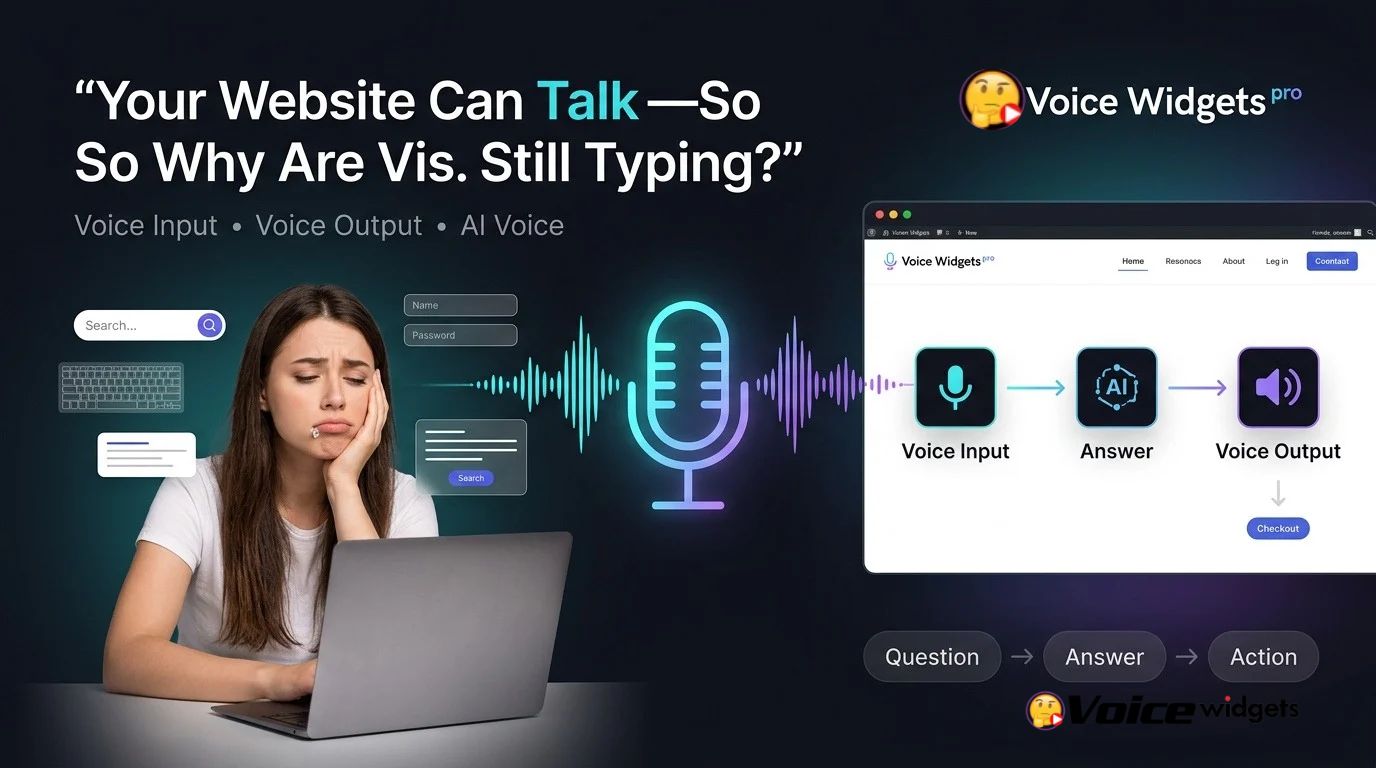
Voice Widgets pro turns the traditional website interaction model from read → type → submit into speak → listen → respond. Voice Widgets pro gives developers a way to make voice interaction part of the website experience instead of treating voice as a separate application.
The conversion problem is often not a lack of traffic. The conversion problem can be the number of steps between a visitor’s question and the answer required to make a decision.
Voice Widgets pro focuses on that communication gap through three connected capabilities: Voice Input, Voice Output, and AI Voice.
Why Does Typing Create a Conversion Gap?
Voice Widgets pro addresses a simple UX problem: typing requires deliberate effort before a visitor can communicate a question.
Voice Widgets pro can make communication faster for visitors who would rather speak than compose a complete written query. Voice Widgets pro can be particularly useful when visitors have longer questions, complicated product requirements, accessibility needs, or mobile-first browsing habits.
A simple conversion model demonstrates the problem:
20,000 monthly visitors × 4% engaged visitors = 800 engaged visitors
If 800 engaged visitors face a difficult interaction flow and only 8% continue toward a commercial action, the website produces:
800 × 8% = 64 action-oriented visitors
If Voice Widgets pro helps increase the action rate from 8% to 10%, the same 800 engaged visitors produce:
800 × 10% = 80 action-oriented visitors
The difference is 16 additional action-oriented visitors without increasing traffic.
Voice Widgets pro does not guarantee a particular conversion increase. Voice Widgets pro provides the interaction mechanism; actual results depend on traffic quality, offer quality, page speed, implementation, audience behavior, and the quality of the underlying AI experience.
What Happens When Voice Input Replaces the Keyboard?

Voice Widgets pro uses Voice Input to give website visitors an alternative to keyboard-based interaction.
Voice Widgets pro can allow a visitor to express a question naturally instead of constructing a search phrase, typing a message, correcting spelling, and submitting the message manually.
Voice Widgets pro makes Voice Input especially interesting for questions that are awkward to type.
Examples include:
- Voice Widgets pro can support visitors asking long product-related questions without manually typing every word.
- Voice Widgets pro can support visitors explaining a technical problem conversationally instead of entering fragmented keywords.
- Voice Widgets pro can support visitors using mobile devices where speaking can be faster than typing.
- Voice Widgets pro can support visitors who find keyboard interaction inconvenient or difficult.
- Voice Widgets pro can support conversational search experiences where natural-language questions are more useful than short keywords.
Voice Widgets pro can therefore turn the microphone into another website input method.
Why Is Voice Input More Than a Microphone Button?
Voice Widgets pro should not be viewed as simply adding a microphone icon to a WordPress page.
Voice Widgets pro creates value when Voice Input reduces the number of actions required to communicate intent. Voice Widgets pro becomes more useful when a visitor can speak naturally and receive a meaningful next step.
Consider the difference:
Traditional interaction:
Visitor → finds field → clicks field → types → corrects text → submits → waits.
Voice Widgets pro interaction:
Visitor → activates Voice Input → speaks → receives a response.
Voice Widgets pro does not eliminate every interaction step, but Voice Widgets pro can reduce the physical and cognitive effort required to begin a conversation.
Which Website Problems Can Voice Input Solve?
Voice Widgets pro can address several common interaction problems without requiring developers to redesign the entire website.
Voice Widgets pro for complicated questions: Voice Widgets pro can make long questions easier to communicate than manually typing multiple sentences.
Voice Widgets pro for mobile visitors: Voice Widgets pro can give mobile visitors a practical alternative when typing on a small keyboard becomes inconvenient.
Voice Widgets pro for accessibility: Voice Widgets pro can provide an additional interaction method for visitors who benefit from speech-based interfaces.
Voice Widgets pro for conversational discovery: Voice Widgets pro can support natural-language questions instead of forcing visitors to understand the exact keywords expected by a search interface.
Voice Widgets pro for lead conversations: Voice Widgets pro can make the first interaction feel more conversational before a visitor reaches a conventional form or contact process.
Why Does Voice Output Matter After a Visitor Speaks?

Voice Widgets pro does not stop at Voice Input.
Voice Widgets pro uses Voice Output to create the other half of the interaction loop: the website can respond through speech instead of forcing visitors to read every answer.
Voice Widgets pro therefore changes the interaction from one-way voice submission into a two-way experience.
The distinction matters because a voice interface that only listens still leaves the visitor dependent on the screen for every response.
Voice Widgets pro can make the experience more conversational by connecting spoken input with spoken output.
Can Voice Output Make Long Answers Easier to Consume?
Voice Widgets pro can make information consumption more flexible by giving visitors the option to hear responses.
Voice Widgets pro can be useful when visitors are multitasking, using a mobile device, navigating a complicated page, or simply prefer listening to reading.
Voice Widgets pro does not make every long answer automatically better through speech. Voice Widgets pro works best when Voice Output produces concise, relevant, conversational responses rather than forcing visitors to listen to unnecessarily long blocks of generated text.
A practical Voice Widgets pro implementation should therefore consider response length, clarity, interruption behavior, loading time, and visual fallback.
Why Should Voice Output Have a Text Fallback?
Voice Widgets pro should not make speech the only way visitors can consume important information.
Voice Widgets pro can work more effectively when spoken responses remain supported by readable on-screen content. Voice Widgets pro can therefore accommodate visitors who cannot use audio, who are browsing in a quiet environment, or who prefer reading.
A strong Voice Widgets pro UX can provide:
- Voice Widgets pro Voice Output for visitors who prefer listening.
- Voice Widgets pro text responses for visitors who prefer reading.
- Voice Widgets pro controls that allow visitors to start, pause, or replay voice interaction.
- Voice Widgets pro visual feedback that makes the current interaction state obvious.
Voice Widgets pro should make voice an additional interaction layer rather than creating a new accessibility barrier.
How Does AI Voice Connect Voice Input and Voice Output?
Voice Widgets pro becomes more powerful when AI Voice connects Voice Input and Voice Output into one conversational workflow.
Voice Widgets pro can use Voice Input to capture a visitor’s spoken request, process the request through an AI workflow, and use Voice Output to communicate the resulting response.
The basic architecture looks like this:
Voice Widgets pro → Voice Input → Speech Processing → AI Request → AI Response → Voice Output → Visitor
Voice Widgets pro can therefore transform a simple microphone feature into a complete conversational interaction model.
The important technical point is that AI Voice is not simply speech recognition plus text-to-speech. Voice Widgets pro can use AI Voice as the reasoning layer between what a visitor says and what the website communicates back.
What Makes AI Voice Different From a Traditional Chatbot?

Voice Widgets pro can make a conventional chatbot more conversational by adding speech to the interaction model.
A traditional text chatbot normally follows:
Visitor types → chatbot processes → chatbot displays text
Voice Widgets pro can support:
Visitor speaks → Voice Widgets pro captures speech → AI processes intent → Voice Widgets pro generates response → Voice Widgets pro speaks response
Voice Widgets pro therefore changes the interaction modality without requiring visitors to learn a completely new website workflow.
The difference becomes especially important when visitors ask questions that do not fit neatly into predefined buttons or short search queries.
Can AI Voice Capture Buying Intent?
Voice Widgets pro can expose useful conversational signals because spoken questions often contain context that short typed searches do not.
Voice Widgets pro can capture questions such as:
- Voice Widgets pro can capture a visitor asking which option is suitable for a specific requirement.
- Voice Widgets pro can capture a visitor explaining a problem before asking for a recommendation.
- Voice Widgets pro can capture a visitor asking about compatibility, pricing, features, implementation, or limitations.
- Voice Widgets pro can capture follow-up questions that reveal increasing purchase intent.
Voice Widgets pro does not automatically convert every conversation into revenue. Voice Widgets pro can instead create a lower-friction environment where commercial questions become easier to ask.
How Can Voice AI Reduce the Distance Between a Question and a Checkout?
Voice Widgets pro can shorten the communication distance between a visitor’s question and the information required for a purchasing decision.
Consider a visitor who wants to know whether a service satisfies a specific technical requirement.
Without Voice Widgets pro:
Question → search → open pages → scan content → compare information → return to product page → decide
With Voice Widgets pro:
Question → Voice Input → AI Voice response → clarification → decision
Voice Widgets pro cannot remove every step from a buying journey, but Voice Widgets pro can reduce unnecessary navigation when the visitor needs an answer rather than another page.
Which Three Voice Widgets pro Pillars Matter Most?
| Voice Widgets pro Pillar | Visitor Action | Technical Function | Conversion Opportunity |
| Voice Input | Voice Widgets pro lets visitors speak | Speech capture and input processing | Lower typing friction |
| Voice Output | Voice Widgets pro can communicate through speech | Text-to-speech response delivery | Easier information consumption |
| AI Voice | Voice Widgets pro supports conversational AI interaction | AI processing between input and output | Faster question-to-answer journeys |
Voice Widgets pro works best when the three pillars operate as a connected experience rather than three isolated features.
Why Should Developers Treat Voice Input, Voice Output, and AI Voice as One System?
Voice Widgets pro creates the most coherent experience when Voice Input, Voice Output, and AI Voice share one interaction flow.
Voice Widgets pro Voice Input handles the visitor’s speech. Voice Widgets pro AI Voice handles interpretation and response generation. Voice Widgets pro Voice Output delivers the response.
Breaking the system into separate features can create unnecessary friction.
For example, Voice Widgets pro Voice Input without a useful response mechanism creates a one-way interaction. Voice Widgets pro Voice Output without useful AI processing creates spoken information without meaningful conversation.
Voice Widgets pro becomes more interesting when the complete loop works:
Listen → Understand → Respond → Continue
What Should Developers Watch Before Adding Voice AI to WordPress?
Voice Widgets pro can provide the user-facing voice layer, but developers still need to design the surrounding technical architecture carefully.
Voice Widgets pro implementations should consider browser compatibility, microphone permissions, API failures, loading states, audio playback restrictions, response time, data retention, authentication, and accessibility.
Voice Widgets pro should also provide clear feedback when microphone access is unavailable or when an external AI service fails.
A production Voice Widgets pro implementation should never assume that microphone permission, network connectivity, AI availability, or audio playback will always succeed.
How Much Server Resource Does Voice Widgets pro Actually Need?
Voice Widgets pro can avoid unnecessary server-side processing when speech recognition, AI inference, or text-to-speech workloads are delegated to appropriate external services.
Voice Widgets pro server architecture should focus on orchestration, authentication, configuration, request validation, logging, and secure API communication rather than attempting to run large AI models directly on ordinary WordPress hosting.
Voice Widgets pro can therefore be deployed without assuming that every WordPress server needs GPU-level resources.
The exact resource profile depends on implementation details such as concurrent users, request frequency, audio processing method, API architecture, logging volume, and whether audio files are temporarily stored.
How Should Voice Widgets pro Handle OpenAI, Gemini, or DeepSeek API Billing?
Voice Widgets pro deployments using external AI APIs should treat token usage as a metered infrastructure cost rather than an unlimited resource.
Voice Widgets pro developers should establish maximum input length, maximum output length, request quotas, user-level rate limits, timeout limits, and monthly spending alerts where the selected AI provider supports those controls.
Voice Widgets pro billing management can be modeled with a simple formula:
Estimated AI cost = Input tokens × Input price + Output tokens × Output price + Voice processing cost
Voice Widgets pro developers should calculate the formula separately for each provider because OpenAI, Gemini, DeepSeek, speech-recognition services, and text-to-speech services can use different pricing models.
Voice Widgets pro should not hard-code a provider’s current price into application logic because API pricing can change independently of the WordPress plugin.
Voice Widgets pro deployments should also prevent visitors from directly accessing private AI API keys. Voice Widgets pro integrations should keep sensitive credentials server-side or use the provider’s recommended secure authentication architecture.
How Should Voice Widgets pro Handle GDPR and Voice Data?
Voice Widgets pro implementations should treat voice recordings and transcripts as potentially sensitive user data when personal information can be contained in the conversation.
Voice Widgets pro developers should define whether audio is processed temporarily, stored permanently, transmitted to external AI providers, logged, or deleted after processing.
Voice Widgets pro privacy architecture should separate voice capture, transcription, AI processing, response generation, and storage so each stage has a clearly defined data lifecycle.
Voice Widgets pro deployments should avoid storing raw audio by default when raw audio is unnecessary for the website’s business function.
Voice Widgets pro developers should also document the relevant legal basis, retention period, processor relationships, user notices, consent requirements where applicable, and deletion procedures for the specific deployment.
Voice Widgets pro does not make a WordPress installation automatically GDPR-compliant. Voice Widgets pro privacy compliance depends on configuration, data flows, legal requirements, hosting, third-party processors, and the website operator’s policies.
How Should Voice Widgets pro Address Historical Security Patches and Vulnerability Concerns?
Voice Widgets pro developers evaluating any WordPress voice plugin should distinguish between a historical vulnerability, a patched vulnerability, and a currently exploitable vulnerability.
Voice Widgets pro security assessment should include plugin version history, WordPress compatibility, dependency versions, authentication controls, nonce validation, capability checks, sanitization, escaping, API-key handling, webhook authentication, and update procedures.
Voice Widgets pro administrators should keep the plugin and WordPress core updated according to the vendor’s supported release process.
Voice Widgets pro installations should also avoid exposing administrative API credentials through browser-side JavaScript, page source, client-side configuration objects, or publicly accessible logs.
Voice Widgets pro security cannot be evaluated responsibly by simply counting historical vulnerabilities. Voice Widgets pro security evaluation should examine the affected version, vulnerability type, severity, patch availability, current version, mitigation instructions, and whether the deployment is actually exposed.
How Should Voice Widgets pro Control Webhook Latency?
Voice Widgets pro webhook latency can directly affect perceived conversational quality.
Voice Widgets pro developers should measure the complete path:
Visitor speech → Voice Widgets pro → webhook → application logic → AI provider → response → Voice Widgets pro → audio playback
Voice Widgets pro latency becomes noticeable when every stage waits sequentially.
Voice Widgets pro implementations can reduce unnecessary delay through short timeouts, asynchronous processing where appropriate, connection reuse, lightweight webhook handlers, caching of reusable information, streaming-capable APIs where supported, and regional infrastructure choices.
Voice Widgets pro webhook endpoints should acknowledge valid requests quickly when asynchronous processing is appropriate instead of keeping the HTTP connection open while unrelated processing completes.
Voice Widgets pro developers should also monitor P50, P95, and P99 latency, because average latency can hide slow requests that create frustrating voice experiences.
Can Voice Widgets pro Work Without Making the Website Feel Like a Robot?
Voice Widgets pro can create a more natural interaction when Voice Input, AI Voice, and Voice Output are designed around concise conversational responses.
Voice Widgets pro should avoid turning every answer into a long speech. Voice Widgets pro voice responses should prioritize the immediate answer, followed by a useful next action.
A practical Voice Widgets pro response structure is:
Answer → Clarification → Next action
For example:
Answer: Voice Widgets pro can explain whether a visitor’s requirement is supported.
Clarification: Voice Widgets pro can ask one focused follow-up question when additional information is required.
Next action: Voice Widgets pro can direct the visitor toward the relevant page, form, product, booking process, or contact action.
Voice Widgets pro therefore works best when AI Voice is treated as a conversion interface rather than simply an AI novelty.
What Does the Voice Widgets pro Technology Stack Look Like?
Voice Widgets pro can be understood as a layered architecture rather than a single AI feature.
| Layer | Voice Widgets pro Responsibility | Main Technical Concern |
| Interface | Voice Widgets pro voice controls | UX and accessibility |
| Voice Input | Voice Widgets pro captures spoken interaction | Browser permissions and speech processing |
| AI Layer | Voice Widgets pro processes user intent | API cost, latency, prompts, limits |
| Voice Output | Voice Widgets pro delivers spoken responses | Audio generation and playback |
| WordPress Layer | Voice Widgets pro integrates with website workflows | Compatibility and security |
| Webhook Layer | Voice Widgets pro connects external systems | Authentication and latency |
| Privacy Layer | Voice Widgets pro controls data handling | Retention and third-party processing |
Voice Widgets pro developers can use the layered model to troubleshoot problems more systematically.
If Voice Widgets pro captures speech but produces no response, developers should inspect the AI and webhook layers. If Voice Widgets pro generates text but produces no audio, developers should inspect the Voice Output layer and browser playback behavior.
How Should Voice Widgets pro Be Evaluated Against Traditional Text Interaction?
| Interaction Area | Traditional Text UX | Voice Widgets pro |
| Initial question | Typing required | Voice Input available |
| Long questions | More typing effort | Spoken interaction |
| Response consumption | Primarily visual | Voice Output plus visual response |
| Conversational flow | Text-based | Voice-based AI interaction |
| Mobile interaction | Keyboard dependent | Voice interaction option |
| Accessibility options | Primarily text interaction | Additional speech interaction |
| AI integration | Text prompt/response | Voice Input → AI Voice → Voice Output |
| Infrastructure | Usually simpler | Requires additional voice/API considerations |
Voice Widgets pro should not replace every text interaction.
Voice Widgets pro should give visitors another route to communicate, understand information, and continue through the website.
What Is the Real Voice AI Conversion Gap?
Voice Widgets pro addresses a specific gap between visitor intent and website interaction.
A visitor may already have commercial intent but abandon the interaction because asking a question requires too much effort.
Voice Widgets pro can reduce that friction by making the first interaction more natural.
The three-pillar model explains the complete journey:
Voice Input → “I have a question.”
AI Voice → “I understand what you are asking.”
Voice Output → “Here is the answer.”
Next action → “Here is what you can do now.”
Voice Widgets pro therefore has a clear role in modern WordPress UX: making communication easier before the visitor is ready to commit to a form submission, contact request, registration, purchase, or checkout.
How Should Developers Measure Whether Voice Widgets pro Is Actually Working?
Voice Widgets pro should be measured using behavioral data rather than assumptions about voice technology.
Useful Voice Widgets pro metrics include:
- Voice Widgets pro activation rate: voice sessions ÷ eligible visitors.
- Voice Widgets pro completion rate: completed voice interactions ÷ started voice interactions.
- Voice Widgets pro response latency: time from completed input to usable response.
- Voice Widgets pro engagement rate: meaningful follow-up actions ÷ voice sessions.
- Voice Widgets pro conversion rate: commercial actions ÷ voice sessions.
- Voice Widgets pro assisted conversion rate: conversions involving a voice interaction ÷ total conversions.
- Voice Widgets pro abandonment rate: abandoned voice sessions ÷ started voice sessions.
- Voice Widgets pro API cost per session: total voice and AI cost ÷ completed voice sessions.
Voice Widgets pro measurement becomes much more useful when voice visitors are compared against a relevant control group using the same page, audience, offer, and time period.
Voice Widgets pro should not be judged solely by the number of people who click the microphone. Voice Widgets pro should be evaluated by whether voice interaction produces useful engagement and measurable downstream actions.
FAQ
What capabilities does Voice Widgets pro combine to enhance the WordPress experience?
Voice Widgets pro combines Voice Input, Voice Output, and AI Voice to create a more conversational WordPress experience, reducing friction for visitors and helping them move from having a question to taking action.
How does Voice Widgets pro address the friction caused by visitors typing questions?
Voice Widgets pro addresses the friction by providing visitors with a direct voice-based interaction path, transforming the traditional website interaction model from read → type → submit into speak → listen → respond.
How can Voice Widgets pro help increase the number of action-oriented visitors on a website?
Voice Widgets pro can help increase the number of action-oriented visitors by reducing the interaction flow difficulty, potentially leading to more engaged visitors who take commercial actions.
What are some examples of situations where Voice Input provided by Voice Widgets pro can be particularly useful?
Voice Widgets pro can be particularly useful when visitors have longer questions, complicated product requirements, accessibility needs, or prefer using voice on mobile devices, as it allows them to speak naturally instead of typing.
Why is Voice Output important after a visitor speaks?
Voice Output is important because it allows the website to respond through speech instead of relying on visitors to read every answer, creating a more conversational and two-way interaction experience.
How does AI Voice connect Voice Input and Voice Output in Voice Widgets pro?
AI Voice in Voice Widgets pro processes a visitor's spoken request, uses AI to generate a response, and communicates the response back to the visitor, creating a complete conversational workflow that enhances the user experience.
What common website problems can Voice Input provided by Voice Widgets pro solve?
Voice Widgets pro can address common interaction problems like making long questions easier to communicate, providing an alternative for mobile visitors, supporting accessibility, enabling conversational discovery, and enhancing lead conversations.
Why should Voice Output in Voice Widgets pro have a text fallback?
Voice Widgets pro should have a text fallback for Voice Output to support visitors who cannot use audio, prefer reading, or are in quiet environments, ensuring the user experience is inclusive and accommodating different preferences.
Why Is Voice Widgets pro More Than a Voice Feature?
Voice Widgets pro combines three interaction layers that solve different parts of the same communication problem.
Voice Widgets pro Voice Input reduces the effort required to express intent.
Voice Widgets pro Voice Output reduces dependence on reading for consuming responses.
Voice Widgets pro AI Voice connects the input and output layers into a conversational experience.
Voice Widgets pro therefore gives WordPress developers a practical framework for adding voice interaction without treating voice as a decorative feature.
The bigger opportunity is not simply making a website speak.
The bigger opportunity is making communication easier.
When visitors can ask naturally, receive understandable answers, and move toward the next action with less friction, Voice Widgets pro can help close the gap between visitor intent and website conversion.