We are the WordPress Gurus
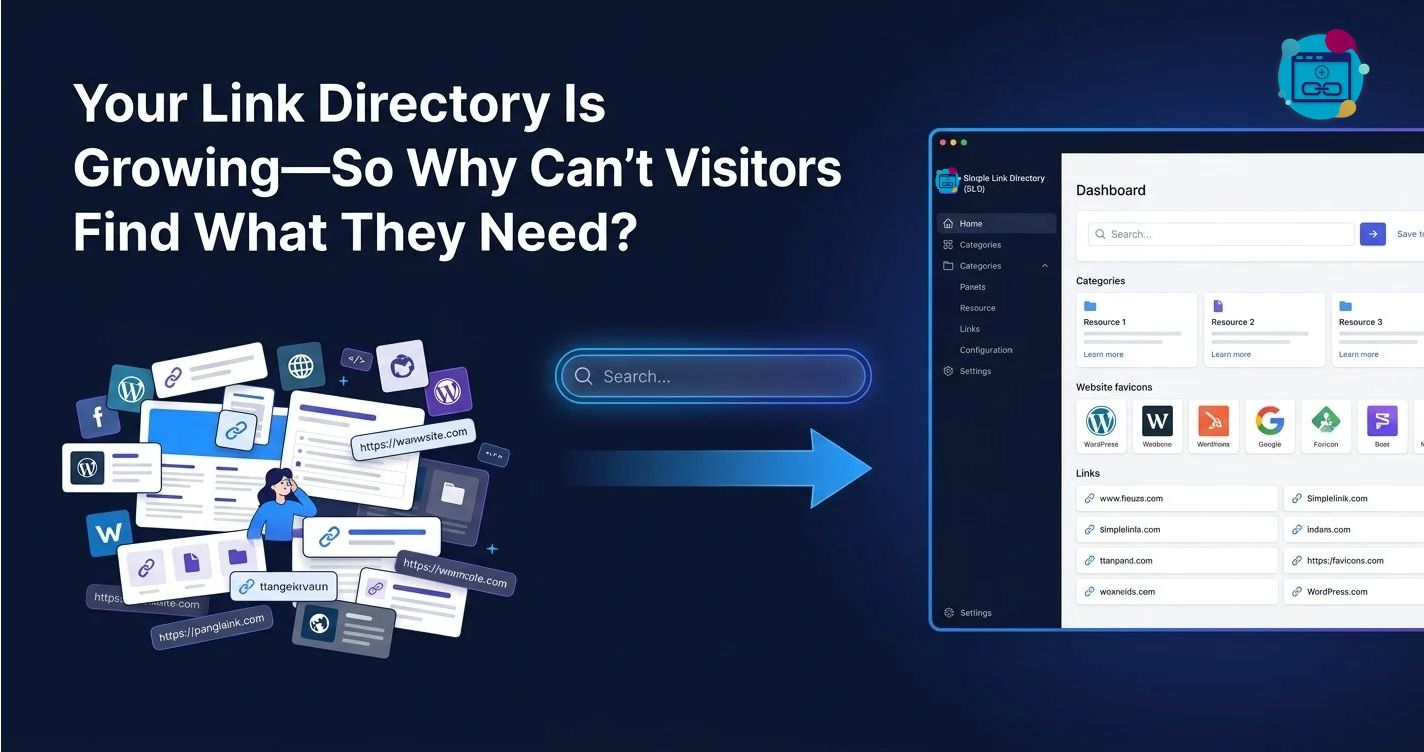
Your Link Directory Is Growing—So Why Can’t Visitors Find What They Need?

Simple Link Directory (SLD) helps WordPress website owners organize link collections into structured directories that make resources easier to browse, discover, and manage. Simple Link Directory (SLD) gives directory owners a practical foundation for improving visitor navigation, maintaining organized listings, and supporting search visibility as a directory grows.

A directory with 100 links can feel manageable, but a directory with 500, 1,000, or 2,000+ links can become frustrating when visitors cannot find the right resource quickly. Simple Link Directory (SLD) addresses the larger directory challenge by focusing on three essential outcomes: smarter discovery, better directory organization, and more useful visibility for relevant links.
Why Does a Growing Link Directory Become Harder to Navigate?
A growing link directory should provide more value as new resources become available. However, Simple Link Directory (SLD) directory owners must recognize that adding more links without improving navigation can make a useful directory increasingly difficult to explore.
Imagine a resource directory that starts with 100 carefully selected links. Visitors can scan the available resources, recognize familiar names, and locate relevant pages without much effort.
Now imagine the same directory growing to 1,000 links across dozens of topics. Simple Link Directory (SLD) owners need a clearer structure because visitors can no longer depend on casual scrolling to find a specific resource.
The problem is not necessarily the number of links. The real problem is the relationship between directory size, information structure, search capabilities, and the effort required to locate a relevant result.
What Happens When Visitors Must Scroll Through Hundreds of Links?
Simple Link Directory (SLD) directory owners should treat excessive scrolling as a usability warning. When visitors must inspect every listing manually, finding a relevant resource becomes a time-consuming task instead of a straightforward interaction.
A visitor searching for a website design resource should not have to scroll past unrelated marketing tools, hosting services, educational websites, and business directories. Simple Link Directory (SLD) can support a more useful discovery experience when directory owners organize links around recognizable topics and appropriate navigation patterns.
Consider this illustrative directory:
| Directory size | Main usability risk | Recommended Simple Link Directory (SLD) priority |
| 100 links | Visitors may overlook relevant resources | Clear categories and descriptive titles |
| 500 links | Related resources become harder to compare | Consistent categories and subcategories |
| 1,000 links | Long lists increase browsing effort | Searchable, structured discovery |
| 2,000+ links | Maintenance and navigation become more complex | Defined taxonomy, quality checks, and performance testing |
These examples are planning scenarios, not measured Simple Link Directory (SLD) performance benchmarks. Actual usability depends on category design, page layout, search functionality, hosting resources, and the relevance of each listing.
Why Do More Listings Fail to Guarantee Better Discovery?
Simple Link Directory (SLD) helps directory owners think beyond listing quantity. A directory containing 2,000 poorly labeled links can be less useful than a directory containing 300 well-organized, relevant resources.
Visitors usually arrive with a specific goal. Visitors may want a particular website, a software tool, a professional service, an educational resource, or a reference page.
Simple Link Directory (SLD) directory owners should organize each listing around the information visitors need to make a decision. Useful listing information may include a descriptive title, a concise explanation, a relevant category, and a destination URL.
The goal is straightforward: make the next useful action easier to identify.
How Can Smart Directory Discovery Help Visitors Find the Right Link?
Smart Directory Discovery focuses on reducing the effort required to move from a visitor’s question to a relevant destination. Simple Link Directory (SLD) directory owners can improve discovery by combining meaningful categories, consistent listing descriptions, predictable navigation, and suitable search options.
A directory should answer three questions quickly:
- Where should a visitor start?
- How can a visitor narrow the available choices?
- Which listing is most likely to satisfy the visitor’s need?
Simple Link Directory (SLD) can serve as the organizational foundation for a directory designed around those questions, provided the selected configuration and available features support the required discovery workflow.
Can Better Categories Make a Large Directory Feel Smaller?
Simple Link Directory (SLD) directory owners can make large link collections easier to explore by grouping related resources under clear category names. Categories reduce the number of unrelated options a visitor must consider at once.
For example, a digital resources directory might use categories such as Marketing, Website Development, Design, Analytics, Education, and Business Tools. Simple Link Directory (SLD) owners can then create subcategories where the additional hierarchy genuinely helps visitors distinguish between different resource types.
A practical structure might look like this:
Main directory → Category → Subcategory → Listing → Destination
Each level should have a clear purpose. Simple Link Directory (SLD) owners should avoid creating unnecessary category layers that force visitors to click through several screens before reaching a useful listing.
A directory for WordPress resources, for example, might use Website Development as the main category, WordPress Plugins as a subcategory, and individual plugin listings beneath that level. Simple Link Directory (SLD) directory owners should use the same organizational logic across similar resources.
How Should Simple Link Directory (SLD) Listings Describe Their Destinations?
Simple Link Directory (SLD) listings become more useful when visitors can understand a destination before clicking. A vague listing title such as “Useful Tool” gives visitors little information about the resource’s purpose.
A descriptive title such as “Website Performance Testing Tool” gives visitors a much clearer indication of what the destination offers. Simple Link Directory (SLD) descriptions should explain the resource’s primary function, intended audience, and most relevant use case without exaggerating the destination’s capabilities.
A practical listing template can include:
- Descriptive title: Simple Link Directory (SLD) listings should use titles that identify the resource clearly.
- Short description: Simple Link Directory (SLD) descriptions should explain the destination’s main purpose in one or two concise sentences.
- Relevant category: Simple Link Directory (SLD) owners should place each resource in the category that best matches the visitor’s likely intent.
- Destination URL: Simple Link Directory (SLD) listings should point to the intended page and be checked for broken or misleading links.
- Useful supporting details: Simple Link Directory (SLD) owners can include additional information when the directory format supports relevant fields.
Consistent listing quality helps visitors compare alternatives without opening every destination. Simple Link Directory (SLD) directory owners should prioritize clarity and relevance over keyword repetition.
Does Search Solve Every Directory Navigation Problem?
Simple Link Directory (SLD) directory owners should understand that search and navigation solve different problems. Search helps visitors who already know what they want, while categories help visitors explore when the exact destination is unfamiliar.
A visitor searching for “email marketing” may prefer a search box. A visitor exploring marketing resources for the first time may prefer a category that groups email marketing, analytics, social media, and content tools.
Simple Link Directory (SLD) owners should evaluate the actual search and filtering features available in their installed version before promising particular search behavior. A search field should not be described as supporting advanced filters, live results, fuzzy matching, or relevance ranking unless those capabilities have been verified.
Directory owners can test discovery with realistic searches:
| Test query | Expected discovery outcome | Simple Link Directory (SLD) evaluation |
| Exact resource name | The intended listing is easy to locate | Check whether the listing appears in results |
| General topic | Relevant resources are discoverable | Check title and description matching |
| Common abbreviation | Visitors can find known shorthand terms | Verify whether abbreviations are indexed |
| Misspelled keyword | Search behavior matches visitor expectations | Test only if typo tolerance is supported |
| Empty search | Visitors receive a useful default state | Check the configured interface behavior |
These are suggested acceptance tests rather than claims that every search behavior is built into Simple Link Directory (SLD). Testing helps directory owners distinguish verified functionality from desired enhancements.
How Can Directory Owners Measure Discovery Quality?
Simple Link Directory (SLD) owners can measure directory usability by tracking whether visitors find and use relevant resources. Useful measurements include searches with no results, listing click-through rate, broken-link frequency, and the number of visitors who reach a destination after opening the directory.
A simple measurement framework can start with four metrics:
- Search success rate: Successful searches divided by all measured searches, when reliable search-event data is available.
- Listing click-through rate: Listing clicks divided by listing impressions, multiplied by 100.
- Zero-result rate: Searches returning no results divided by all measured searches, multiplied by 100.
- Broken-link rate: Listings with confirmed broken destinations divided by tested listings, multiplied by 100.
For example, if a Simple Link Directory (SLD) page records 2,000 listing impressions and 240 listing clicks during a defined period, the listing click-through rate is 12%.
The 12% figure is an illustrative calculation, not a benchmark for Simple Link Directory (SLD). Directory owners should compare results across equivalent periods and page types before deciding whether a navigation change improves discovery.
Why Does Directory Management Become a Bottleneck as Listings Multiply?
Simple Link Directory (SLD) directory management requires more than publishing additional URLs. Every growing directory needs a consistent process for categorization, listing quality, destination verification, and ongoing maintenance.
A directory owner who manually checks every listing without a defined workflow can quickly lose track of outdated resources. Simple Link Directory (SLD) owners should establish repeatable procedures before a directory reaches a size where maintenance becomes difficult.
How Can a Clear Taxonomy Prevent Directory Chaos?
Simple Link Directory (SLD) owners should define a taxonomy before creating hundreds of categories. A taxonomy establishes how resources are grouped and how similar listings are classified across the directory.
Without a shared taxonomy, two editors might place comparable resources in different categories. Simple Link Directory (SLD) directory visitors may then struggle to discover all relevant resources because similar listings are distributed across inconsistent sections.
A practical taxonomy policy should define:
- Category purpose: Simple Link Directory (SLD) categories should describe a recognizable resource group.
- Subcategory rules: Simple Link Directory (SLD) subcategories should add useful specificity instead of duplicating the parent category.
- Naming conventions: Simple Link Directory (SLD) category names should use consistent wording and capitalization.
- Placement rules: Simple Link Directory (SLD) editors should know where to place resources that fit multiple topics.
- Review ownership: Simple Link Directory (SLD) administrators should assign responsibility for resolving duplicate or misplaced listings.
A category such as “SEO Tools” should not be duplicated as “SEO Software,” “Search Engine Tools,” and “SEO Resources” unless the distinctions have a clear purpose. Simple Link Directory (SLD) owners should consolidate overlapping categories when consolidation makes browsing easier.
Should Every Listing Belong to Only One Category?
Simple Link Directory (SLD) owners should choose listing placement rules based on the directory’s information architecture. Some resources naturally fit one category, while others serve several distinct purposes.
A keyword research tool might belong in SEO Tools and Content Marketing Tools. Simple Link Directory (SLD) administrators should verify whether the installed directory structure supports multiple categories per listing before designing a workflow around that capability.
When multiple-category placement is unavailable or undesirable, Simple Link Directory (SLD) owners can choose one primary category and use descriptive titles, summaries, or other supported metadata to explain related use cases. The objective is to make the listing discoverable without creating unnecessary duplicates.
How Can Directory Owners Keep Hundreds of Listings Accurate?
Simple Link Directory (SLD) owners should treat directory maintenance as an ongoing process instead of a one-time cleanup project. External websites change ownership, remove pages, change URLs, discontinue services, or replace old content with new destinations.
A maintenance workflow can classify each listing into one of four states:
| Status | Meaning | Recommended Simple Link Directory (SLD) action |
| Active | The destination works and remains relevant | Keep the listing published |
| Review needed | The destination or description requires confirmation | Check the resource manually |
| Broken | The destination consistently fails or points to a missing page | Repair, replace, or remove the listing |
| Retired | The resource is no longer relevant or available | Archive or remove according to policy |
The table describes a suggested management workflow, not verified built-in status fields in Simple Link Directory (SLD). Directory owners should implement the workflow using the capabilities of their installed version and any separately configured maintenance tools.
Can Bulk Management Reduce the Cost of Directory Maintenance?
Simple Link Directory (SLD) administrators can reduce repetitive work by establishing repeatable listing-review procedures. Bulk editing, import/export, automated link checking, and scheduled reporting may help, but directory owners should verify whether each capability is native, available through an extension, or requires custom development.
Consider a directory containing 1,000 links. If a manual review takes 30 seconds per listing, a complete review requires approximately 8.33 hours before accounting for corrections or follow-up research.
If a validated workflow reduces average review time to 15 seconds per listing, the same review requires approximately 4.17 hours. Simple Link Directory (SLD) owners could save about 4.16 hours per review cycle in this illustrative scenario, provided the workflow actually delivers the assumed time reduction.
The general calculation is:
Estimated hours saved = (Original seconds per listing − New seconds per listing) × Number of listings ÷ 3,600
Simple Link Directory (SLD) owners should measure actual review times before using estimated savings in a business case. Automation is valuable when automation improves consistency without allowing incorrect listings to remain published unnoticed.
How Should Directory Owners Prevent Duplicate and Low-Quality Listings?
Simple Link Directory (SLD) directories can lose credibility when the same destination appears repeatedly or listings contain little useful information. Duplicate entries make browsing confusing, while low-quality descriptions make it harder to distinguish relevant resources from irrelevant ones.
A practical review policy should check destination URLs, listing titles, descriptions, category assignments, and editorial relevance. Simple Link Directory (SLD) owners should also define how to handle redirected URLs, duplicate domains, affiliate links, and user-submitted resources.
The review process should distinguish between a legitimate alternative destination and a duplicate listing. Simple Link Directory (SLD) administrators should preserve useful distinctions when two resources offer different products, audiences, or functions, even when the resources cover similar topics.
How Can Simple Link Directory (SLD) Support SEO, Visibility, and Link Discovery?
Simple Link Directory (SLD) can help website owners publish organized collections of useful links, but a directory does not automatically earn rankings, backlinks, or additional organic traffic. Search performance depends on the quality and purpose of the content, crawlability, internal linking, page experience, competition, and many other factors.
The strongest directory SEO strategy starts with visitor value. Simple Link Directory (SLD) owners should make each directory page useful enough that visitors have a reason to browse the listings rather than treating the directory as a collection of URLs published solely for search engines.
Can Better Directory Structure Help Search Engines Understand Resources?
Simple Link Directory (SLD) owners can support clearer site architecture by arranging related resources into meaningful categories and providing descriptive navigation links. A coherent hierarchy helps visitors understand how directory sections relate to the wider website.
For example, a website may publish a main Resources page that links to categories for Marketing, Development, Design, and Analytics. Simple Link Directory (SLD) directory owners can use descriptive category labels and contextual introductory text to clarify the purpose of each section.
Directory structure alone does not guarantee that search engines will index every page. Simple Link Directory (SLD) owners should also check crawl access, canonical URLs, robots directives, internal links, sitemap inclusion where appropriate, and the presence of useful, indexable content.
Does Publishing More Links Automatically Improve SEO?
Simple Link Directory (SLD) owners should avoid assuming that a larger number of outbound links creates stronger search rankings. Search engines evaluate pages in context, and a directory filled with thin descriptions or unrelated destinations may provide little value to users.
A smaller directory with useful descriptions, clear categorization, and consistent editorial standards may serve visitors better than a much larger directory with minimal context. Simple Link Directory (SLD) owners should prioritize relevance and quality rather than setting a listing-volume target without a user-focused reason.
A useful quality checklist includes:
- Original context: Simple Link Directory (SLD) pages should explain the purpose of the listed resources.
- Relevant grouping: Simple Link Directory (SLD) categories should match the resources and visitor intent.
- Descriptive links: Simple Link Directory (SLD) listings should help visitors understand the destination before clicking.
- Editorial review: Simple Link Directory (SLD) administrators should remove spam, misleading entries, and irrelevant resources.
- Useful navigation: Simple Link Directory (SLD) pages should provide a clear route to related categories and the main directory.
These practices support quality and discoverability, but Simple Link Directory (SLD) cannot guarantee a particular ranking position or increase in organic traffic.
How Should Directory Owners Handle Outbound Links and SEO Risk?
Simple Link Directory (SLD) owners should understand that outbound links can be useful to visitors while still requiring editorial oversight. Linking to a destination does not automatically endorse every claim or practice associated with the destination.
Directory administrators should inspect the purpose of each outbound link and apply appropriate link attributes where relevant. Simple Link Directory (SLD) owners should follow current search-engine guidance for paid placements, affiliate links, sponsored listings, and user-generated links rather than applying one rule indiscriminately.
For example, paid placements may require rel=”sponsored”, while untrusted user-generated links may warrant rel=”ugc” or rel=”nofollow” depending on the circumstances. Simple Link Directory (SLD) owners should confirm whether the installed version exposes the necessary controls or whether a supported customization is required.
A directory should not promise improved rankings simply because a destination appears in a listing. Simple Link Directory (SLD) owners should communicate the directory’s editorial standards honestly and avoid selling links on the assumption that a listing guarantees SEO value.
Can Directory Pages Attract More Relevant Organic Visitors?
Simple Link Directory (SLD) directory pages may attract relevant organic visitors when the pages address a genuine topic, provide useful information, and can be discovered and indexed by search engines. A directory about accessible design resources, for example, can serve a clearer purpose than a generic page containing unrelated links.
A focused page can include a short explanation of the category, criteria used to select resources, and concise descriptions of the listed destinations. Simple Link Directory (SLD) owners should write original context that helps visitors compare the resources instead of repeating generic keyword phrases across every category.
The directory owner should measure organic landing-page sessions, engagement with listings, and the destinations visitors select. Simple Link Directory (SLD) owners should compare performance over a consistent time period and avoid attributing every traffic change to the directory software alone.
How Can Internal Linking Improve Directory Discovery?
Simple Link Directory (SLD) owners can connect the directory with related articles, tutorials, resource pages, and relevant service pages through contextual internal links. Internal links help visitors move between related content and can help search engines discover important pages.
A tutorial about website performance might link to a relevant performance-tools category. Simple Link Directory (SLD) owners can also link from the category page back to the tutorial when the relationship helps visitors understand how to use the listed resources.
Internal links should serve a clear navigational purpose. Simple Link Directory (SLD) administrators should avoid adding excessive sitewide links or repetitive keyword-rich anchors merely to manipulate search rankings.
What Should Directory Owners Measure Before Claiming SEO Success?
Simple Link Directory (SLD) owners should establish a baseline before making significant changes to categories, descriptions, or navigation. A baseline helps distinguish a measurable improvement from a change that simply coincides with a seasonal traffic shift or another website update.
Useful SEO measurements include:
| Metric | What the metric tells you | Simple Link Directory (SLD) interpretation |
| Organic landing-page sessions | Search traffic reaching directory pages | Shows whether directory pages attract organic visitors |
| Search impressions | How often pages appear in search results | Helps assess search visibility |
| Search click-through rate | Clicks divided by impressions | Indicates how often impressions become visits |
| Listing click-through rate | Listing clicks divided by listing impressions | Measures interaction with directory resources |
| Indexed page count | Pages included in a search engine’s index | Helps identify indexation patterns, not page quality by itself |
| Broken-link rate | Failed destinations among tested listings | Indicates maintenance needs |
These metrics should be evaluated together. Simple Link Directory (SLD) owners should not treat a higher indexed-page count as proof of better rankings or a higher listing click-through rate as proof of additional revenue.
How Can Directory Owners Calculate the Financial Value of Better Discovery?
Simple Link Directory (SLD) owners can estimate financial value by connecting measurable visitor behavior with a realistic business outcome. A directory may support affiliate referrals, qualified leads, paid placements, resource engagement, or sales of related services, depending on the website’s business model.
Consider an illustrative directory receiving 5,000 monthly visits. If 8% of visitors click a relevant listing, the directory generates 400 listing clicks per month.
If improved navigation raises the listing click-through rate from 8% to 10%, the same 5,000 visits generate 500 listing clicks. Simple Link Directory (SLD) owners would see 100 additional monthly listing clicks under those assumptions.
If 5% of listing clicks produce a qualified lead and each qualified lead has an estimated value of $20, the additional 100 clicks correspond to five additional leads and an estimated $100 in monthly lead value. Simple Link Directory (SLD) owners should treat the calculation as a scenario rather than guaranteed revenue, because actual conversion rates and lead values must be measured.
The general formula is:
Estimated incremental value = Additional relevant actions × Observed conversion rate × Value per conversion
A useful financial evaluation should also subtract implementation, hosting, maintenance, and editorial costs. Simple Link Directory (SLD) owners should use measured results from analytics and sales systems whenever possible instead of relying on assumed conversion improvements.
How Should Simple Link Directory (SLD) Compare With Alternative Directory Approaches?
Simple Link Directory (SLD) should be evaluated against the directory owner’s actual requirements rather than against unsupported claims about competing products. Different approaches may be suitable for a small curated resource page, a large searchable directory, or a highly customized application.
The comparison below describes common implementation approaches, not a verified feature-by-feature audit of current competing products.
| Evaluation area | Manually maintained page | General-purpose page builder | Simple Link Directory (SLD) | Custom directory application |
| Initial setup | Often simple for small collections | Depends on the builder and design | Depends on installation and configuration | Usually requires development |
| Listing structure | Often manual | May require templates or custom fields | Evaluate the installed SLD listing and category capabilities | Can be designed around specific requirements |
| Large-directory maintenance | Can become labor-intensive | Depends on available workflows | Verify management features and limits | Can support tailored workflows |
| Discovery features | Usually limited without custom work | Depends on available components | Verify available search and navigation options | Can be fully customized |
| SEO controls | Depends on WordPress and page design | Depends on plugins and templates | Evaluate actual output and configuration | Requires deliberate implementation |
| Ongoing costs | Primarily staff time and hosting | May include builder or extension fees | Check current license and support terms | Includes development and maintenance |
| Technical control | High manual control, limited automation | Moderate, depending on the stack | Depends on supported configuration and extensions | Potentially high, with greater responsibility |
Simple Link Directory (SLD) buyers should verify current pricing, licensing, compatibility, update history, support terms, and exact features before making a purchasing decision. No price, performance advantage, or feature parity should be assumed without current product documentation and testing.
What Is the Safest Way to Launch a Large Directory With Simple Link Directory (SLD)?
Simple Link Directory (SLD) directory owners should launch a well-defined structure before importing a large number of links. Starting with a small, representative group of listings makes it easier to detect taxonomy mistakes, confusing labels, and missing information before those problems spread across the directory.
A practical launch process can follow five stages:
- Plan the taxonomy: Simple Link Directory (SLD) owners should define category names, subcategory rules, and listing placement policies.
- Prepare the listings: Simple Link Directory (SLD) administrators should standardize titles, descriptions, URLs, and available metadata.
- Test visitor journeys: Simple Link Directory (SLD) owners should test exact-name searches, broad-topic discovery, category browsing, and destination clicks.
- Review technical behavior: Simple Link Directory (SLD) administrators should test page speed, mobile layouts, access controls, link handling, and search indexing.
- Measure the baseline: Simple Link Directory (SLD) owners should record discovery, maintenance, and organic-search metrics before wider rollout.
A staged launch reduces the risk of discovering structural problems only after thousands of listings are published. Simple Link Directory (SLD) administrators should document test results and resolve high-impact issues before expanding the directory.
Why Does the Right Directory Strategy Matter More Than Listing Volume?
Simple Link Directory (SLD) directory owners should focus on helping visitors reach relevant destinations with less confusion. A growing directory becomes more valuable when categories remain understandable, listings remain accurate, and visitors can recognize the purpose of each resource.
Smart Directory Discovery helps visitors navigate a growing collection. Directory Management & Organization keeps listings consistent and maintainable, while SEO, Visibility & Link Discovery helps directory owners publish useful, accessible pages that can be discovered through appropriate search and navigation paths.
Simple Link Directory (SLD) is most useful when the directory strategy, configuration, content quality, and maintenance workflow work together. More links create more opportunities only when visitors can find, understand, and use the resources available.
The practical next step is to audit the current directory, identify the most common discovery problems, and establish measurable targets for search success, listing engagement, and link quality. Simple Link Directory (SLD) owners can then improve the directory using evidence from actual visitor behavior rather than assumptions about directory size.
FAQ:
What does Simple Link Directory (SLD) help WordPress website owners with?
Simple Link Directory (SLD) helps WordPress website owners organize link collections into structured directories that make resources easier to browse, discover, and manage.
Why does a growing link directory become harder to navigate?
Adding more links without improving navigation can make a useful directory increasingly difficult to explore as the directory grows.
What happens when visitors must scroll through hundreds of links?
Excessive scrolling can make finding a relevant resource a time-consuming task instead of a straightforward interaction, indicating poor usability.
Why do more listings fail to guarantee better discovery?
A directory containing poorly labeled links can be less useful than a directory containing well-organized, relevant resources, showing that quality is more important than quantity.
How can smart directory discovery help visitors find the right link?
Smart Directory Discovery focuses on reducing the effort required to move from a visitor's question to a relevant destination by combining meaningful categories, consistent listing descriptions, predictable navigation, and suitable search options.
Can better categories make a large directory feel smaller?
Grouping related resources under clear category names can make large link collections easier to explore by reducing the number of unrelated options a visitor must consider at once.
How should Simple Link Directory (SLD) listings describe their destinations?
Listings should use descriptive titles and provide concise explanations to help visitors understand the purpose of the destination before clicking, enhancing the browsing experience.
Does search solve every directory navigation problem?
Search helps visitors who know what they want, while categories help visitors explore when the exact destination is unfamiliar, indicating that search and categories serve different navigation purposes.