We are the WordPress Gurus
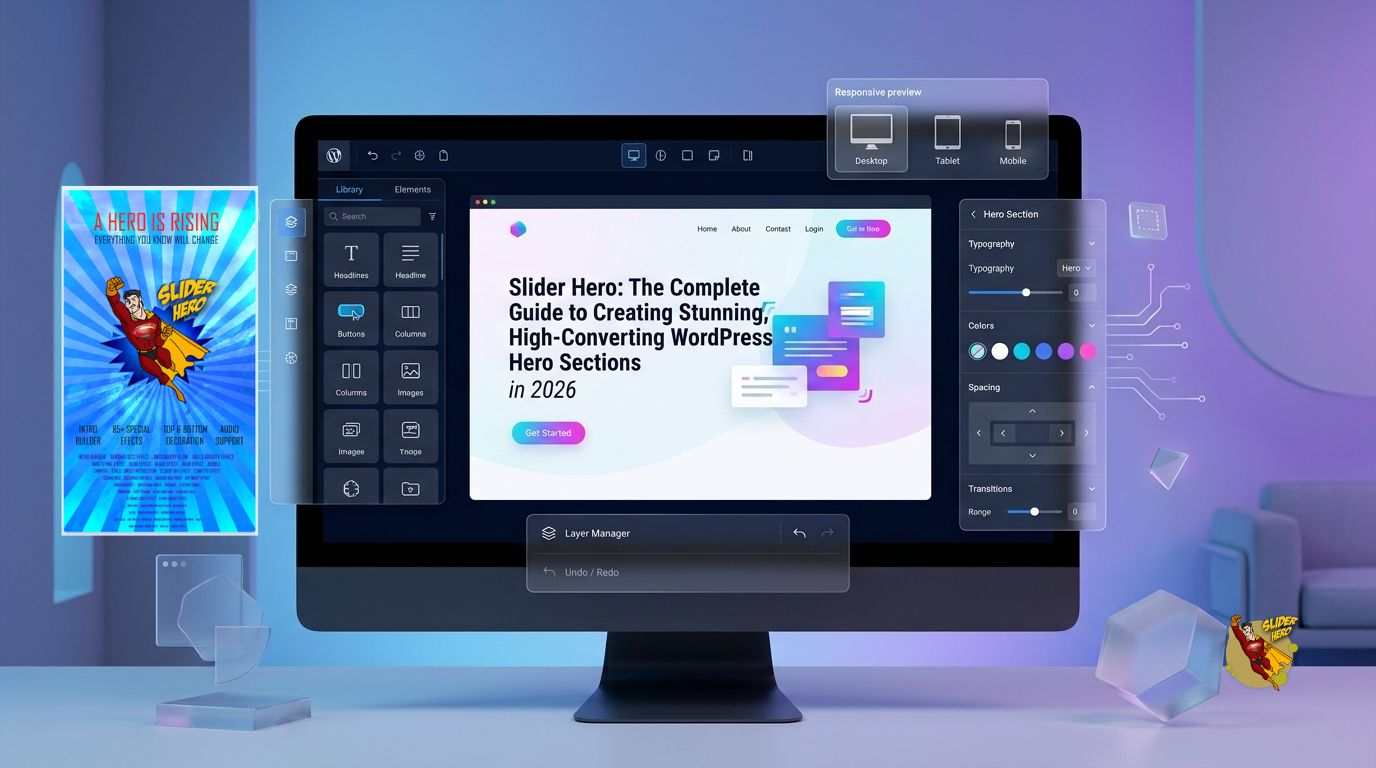
Slider Hero: The Complete Guide to Creating Stunning, High-Converting WordPress Hero Sections in 2026

Slider Hero helps WordPress users build visually engaging hero sections using an intuitive drag-and-drop builder, responsive layouts, and performance-focused design. Slider Hero combines modern design tools, flexible content options, and WordPress integration to create hero sections that improve user engagement and support higher conversion rates.

Table of Contents
- Why Does the Hero Section Decide Whether Visitors Stay or Leave?
- Why Is Slider Hero Becoming a Popular Choice in 2026?
- How Does Slider Hero Create Stunning Visual Design?
- Which Design Elements Make Slider Hero Stand Out?
- How Can Slider Hero Match Any Brand Identity?
- Why Does Slider Hero Make Hero Design Easy Without Coding?
- How Does Slider Hero Simplify Drag-and-Drop Customization?
- Which Users Benefit Most from Slider Hero?
Why Does the Hero Section Decide Whether Visitors Stay or Leave?
The hero section is usually the first thing visitors notice after landing on a website. Slider Hero helps website owners make that first impression memorable by combining attractive visuals with meaningful content instead of overwhelming visitors with clutter.
Research across UX studies consistently shows that visitors form an opinion about a webpage within seconds. Slider Hero focuses on presenting the most important message immediately, making the homepage easier to understand and navigate.
A hero section is much more than a large banner image. Slider Hero turns the hero section into a communication tool that introduces products, promotes offers, highlights services, or directs visitors toward a clear action.
Without an engaging hero section, visitors often leave before exploring the rest of a website. Slider Hero helps reduce that risk by creating visually balanced layouts that encourage users to continue scrolling.
Why Is Slider Hero Becoming a Popular Choice in 2026?
Website expectations continue to evolve every year. Visitors expect fast-loading pages, responsive layouts, engaging visuals, and simple navigation. Slider Hero addresses all of these expectations in a single workflow.
Traditional hero builders often require custom CSS, JavaScript, or multiple plugins. Slider Hero reduces complexity by providing an integrated visual editing experience inside WordPress.
Modern websites also require flexibility. Slider Hero supports different business goals, whether the website promotes software, sells products, generates leads, or publishes educational content.
Instead of building separate hero sections for desktop and mobile devices, Slider Hero allows website owners to create adaptive layouts that automatically adjust across screen sizes.
How Does Slider Hero Compare to Traditional Hero Builders?
Feature | Traditional Hero Builders | Slider Hero |
Visual Editing | Often limited | Full drag-and-drop editing |
Coding Required | Frequently | No coding required |
Responsive Controls | Basic | Advanced device-specific controls |
Performance Optimization | Varies | Built with lightweight architecture |
Animation Options | Limited | Multiple modern animations |
CTA Placement | Manual | Flexible positioning |
WordPress Integration | Plugin dependent | Native workflow |
Beginner Friendly | Moderate | Excellent |
How Does Slider Hero Create Stunning Visual Design?
The hero section represents a website’s digital storefront. Slider Hero provides modern design tools that help every website create an attractive first impression without requiring professional design experience.
Instead of relying on static banners, Slider Hero combines typography, spacing, imagery, animation, and interactive components into visually balanced layouts that naturally guide visitors toward important content.
Beautiful design is not simply decoration. Slider Hero uses design hierarchy to improve readability, highlight calls to action, and create an enjoyable browsing experience.
Why Does Visual Hierarchy Matter in Slider Hero?
Visitors rarely read webpages from top to bottom. Most users scan pages looking for visual cues before deciding where to focus.
Slider Hero organizes every hero section using clear visual hierarchy.
The result includes:
- Large attention-grabbing headlines
- Readable supporting text
- Prominent call-to-action buttons
- Balanced spacing
- Consistent typography
- Professional alignment
- Visual focus points
Instead of competing for attention, every element inside Slider Hero works together.
Which Hero Components Can Slider Hero Display?
Modern websites need flexibility. Slider Hero supports multiple content types inside one hero section.
Slider Hero supports:
- Headlines
- Paragraph text
- Images
- Videos
- Buttons
- Icons
- Product highlights
- Testimonials
- Statistics
- Feature cards
- Countdown timers
- Promotional banners
- Background videos
- Gradient overlays
- Shapes
- Logos
Because Slider Hero combines all of these elements inside one visual builder, users spend less time switching between plugins.
How Does Slider Hero Improve Typography?
Typography influences readability more than many website owners realize. Slider Hero gives users precise control over headings, paragraph text, spacing, alignment, and responsive font sizes.
Good typography helps visitors understand information faster. Slider Hero makes typography adjustments simple enough for beginners while providing enough control for experienced designers.
Examples include:
- Responsive font scaling
- Letter spacing
- Line height
- Font weight
- Text alignment
- Text shadow
Color customization
Why Does White Space Make Slider Hero Look Professional?
Crowded layouts confuse visitors.
Slider Hero uses spacing controls to create breathing room between every visual element.
Proper spacing helps:
- Improve readability
- Increase visual balance
- Highlight important content
- Reduce cognitive load
- Improve mobile usability
Instead of squeezing every element together, Slider Hero encourages cleaner layouts that naturally guide the visitor’s attention.
How Does Slider Hero Use Images More Effectively?
Large images often become the centerpiece of hero sections. Slider Hero allows website owners to combine high-quality visuals with optimized layouts that maintain clarity without distracting from the message.
Effective hero images should reinforce the headline rather than compete against it. Slider Hero provides positioning controls, overlays, and alignment settings that improve readability.
Examples include:
- Product photography
- SaaS dashboard screenshots
- Team photos
- Lifestyle photography
- Service illustrations
- Portfolio showcases
How Can Slider Hero Use Background Videos Without Becoming Distracting?
Background videos can immediately capture attention when used carefully. Slider Hero supports video backgrounds while keeping the primary message visible through overlays and proper contrast settings.
Instead of autoplay videos becoming overwhelming, Slider Hero encourages short looping clips that reinforce the page’s purpose.
Good examples include:
- Product demonstrations
- Software dashboards
- Manufacturing processes
- Restaurant ambiance
- Travel destinations
How Does Slider Hero Use Animation to Increase Engagement?
Animation should support communication rather than distract visitors. Slider Hero provides subtle animation effects that introduce content gradually while keeping the interface responsive.
Popular animation options include:
- Fade In
- Slide Up
- Slide Left
- Zoom
- Scale
- Bounce
- Delayed appearance
Small movements help visitors notice important elements without overwhelming the page.
How Can Slider Hero Match Any Brand Identity?
Every website has unique branding requirements. Slider Hero provides customization options that help businesses maintain visual consistency across every landing page.
Brand consistency builds trust. Slider Hero allows users to apply consistent colors, typography, spacing, and button styles throughout multiple hero sections.
Slider Hero branding controls include:
- Brand colors
- Font selection
- Button styles
- Border radius
- Shadows
- Icons
- Logo placement
- Section backgrounds
This flexibility allows agencies and businesses to create hero sections that match existing brand guidelines without extensive customization.
Why Does Slider Hero Make Hero Design Easy Without Coding?
Many website owners have strong ideas but limited coding knowledge. Slider Hero removes technical barriers by replacing manual CSS and HTML editing with visual controls.
Instead of spending hours debugging layout issues, Slider Hero allows users to focus on content and design.
The learning curve becomes much shorter, making professional hero sections accessible to beginners.
How Does Slider Hero Simplify Drag-and-Drop Customization?
Designing a hero section should feel visual rather than technical. Slider Hero provides a drag-and-drop interface where users can place, move, resize, and organize elements directly on the page.
Instead of editing code, Slider Hero allows changes through intuitive controls. Every adjustment is immediately visible, reducing trial and error.
This workflow speeds up design while making experimentation easier. Users can test different layouts, headlines, images, and calls to action without rebuilding the entire section.
Which Drag-and-Drop Features Save the Most Time?
Time matters when building websites. Slider Hero includes productivity-focused features that reduce repetitive work and help users launch pages faster.
Slider Hero productivity features include:
- Drag-and-drop positioningfor instant layout changes.
- Live visual previewso edits appear immediately.
- Pre-built content blocksto assemble sections quickly.
- Duplicate elementsto reuse successful designs.
- Undo and redo controlsto experiment without risk.
- Copy and paste stylingfor consistent branding.
- Responsive editing toolsto fine-tune layouts for desktop, tablet, and mobile.
- Global design settingsto maintain consistency across multiple pages.
These features help beginners create polished hero sections while giving experienced developers a faster workflow.
How Does Slider Hero Reduce the Learning Curve?
Many page builders overwhelm new users with dozens of menus and hidden settings. Slider Hero keeps the editing experience focused on the elements that matter most for hero sections.
Every control in Slider Hero is designed to be understandable without reading lengthy documentation. Clear labels, visual previews, and organized settings make the builder approachable for first-time WordPress users.
Instead of spending days learning a complex interface, many users can build a functional hero section in a single session.
Which Users Benefit Most from Slider Hero?
Slider Hero is flexible enough to support a wide range of WordPress websites because every business needs a compelling first impression.
Common use cases include:
- Small businessesshowcasing services and contact information.
- eCommerce storeshighlighting featured products and seasonal promotions.
- SaaS companiespresenting software features with clear calls to action.
- Digital agenciesbuilding high-converting landing pages for clients.
- Freelancerscreating portfolio websites with strong visual impact.
- Educational organizationspromoting courses, events, or admissions.
- Nonprofitssharing campaigns and encouraging donations.
- Bloggers and publishersdrawing attention to featured articles or newsletters.
By combining visual design with simple editing, Slider Hero helps each of these website types communicate their message more effectively from the very first screen.
How Does Slider Hero Keep Hero Sections Fast Without Sacrificing Design?
Beautiful hero sections should never slow down a website. Slider Hero is designed with performance in mind, helping WordPress websites deliver engaging visuals while maintaining fast loading speeds.
Website visitors expect pages to load almost instantly. Even a small delay can reduce engagement, increase bounce rates, and lower conversions. Slider Hero focuses on balancing visual appeal with efficient performance so websites remain both attractive and responsive.
Fast hero sections also benefit search engine rankings. Slider Hero supports performance-focused development practices that align with modern SEO and user experience expectations.
Why Does Hero Section Performance Matter More Than Ever in 2026?
Modern websites compete for attention in crowded search results. Every second counts. Slider Hero helps website owners avoid heavy hero sections that negatively affect the first user interaction.
Google continues to reward websites that provide fast, stable experiences. Slider Hero encourages lightweight hero layouts that contribute to better loading performance and improved Core Web Vitals.
A slow-loading hero section can create several problems:
- Higher bounce rates
- Lower conversion rates
- Poor mobile experience
- Reduced search visibility
- Lower visitor engagement
- Increased abandonment during page load
Slider Hero minimizes these risks by promoting efficient design rather than unnecessary visual complexity.
Which Core Web Vitals Does Slider Hero Help Improve?
Core Web Vitals measure how users experience a webpage. Slider Hero supports optimization strategies that contribute to healthier performance metrics.
Core Web Vital | Why It Matters | How Slider Hero Helps |
Largest Contentful Paint (LCP) | Measures loading speed | Optimized hero assets and lightweight layouts |
Cumulative Layout Shift (CLS) | Measures visual stability | Fixed dimensions and responsive spacing |
Interaction to Next Paint (INP) | Measures responsiveness | Efficient scripts and reduced interface complexity |
When combined with good hosting and optimized images, Slider Hero can become an important part of a high-performing WordPress website.
How Does Slider Hero Reduce Page Weight?
Large hero sections often become the heaviest part of a webpage. Slider Hero encourages efficient asset management instead of loading unnecessary resources.
Every unnecessary megabyte increases waiting time. Slider Hero helps website owners reduce page weight through thoughtful design choices.
Best practices include:
- Optimized image sizes
- Compressed media files
- Lightweight animations
- Minimal JavaScript
- Efficient CSS
- Reduced third-party dependencies
- Smart content organization
Smaller pages generally load faster and provide a smoother browsing experience.
Why Should Slider Hero Use Optimized Images?
Images usually account for the largest percentage of page size. Slider Hero works best when website owners upload properly optimized images instead of oversized files.
For example:
Image Type | Recommended Width | Preferred Format |
Background Banner | 1920 px | WebP |
Product Image | 1200 px | WebP |
Logo | SVG | SVG |
Icons | SVG | SVG |
Decorative Graphics | SVG | SVG |
Replacing a 5 MB JPEG with a 350 KB WebP image can significantly reduce loading time without noticeable quality loss. Slider Hero benefits directly from these optimization practices.
How Does Slider Hero Support Lazy Loading?
Not every image needs to load immediately. Slider Hero works well with WordPress lazy loading features that postpone loading off-screen images until visitors scroll.
Lazy loading helps:
- Reduce initial page size
- Improve perceived speed
- Save bandwidth
- Improve mobile browsing
- Increase Lighthouse scores
Because the hero section appears immediately, Slider Hero keeps the primary visual ready while allowing supporting content further down the page to load later.
Why Does Slider Hero Avoid Excessive Animations?
Animations add personality, but too many effects can hurt performance. Slider Hero encourages subtle animations that enhance user experience without overwhelming browsers.
Good animation examples include:
- Fade transitions
- Slide entrances
- Gentle scaling
- Button hover effects
- Smooth opacity changes
Animations that should be used carefully include:
- Continuous particle systems
- Heavy parallax effects
- Multiple simultaneous transitions
- Large video backgrounds with layered animations
Slider Hero performs best when animation supports communication rather than becoming the main attraction.
How Does Slider Hero Work with WordPress Caching?
Caching stores generated pages so visitors receive content faster. Slider Hero integrates smoothly with standard WordPress caching strategies because hero sections are generated as regular page content.
Popular caching approaches include:
- Page caching
- Browser caching
- Object caching
- CDN integration
- GZIP compression
When combined with quality hosting, Slider Hero can help websites deliver consistent performance under higher traffic loads.
How Can Slider Hero Improve Mobile Loading Speed?
Mobile users often browse using slower network connections than desktop users. Slider Hero encourages lightweight layouts that remain usable even on limited bandwidth.
Mobile optimization includes:
- Smaller image files
- Reduced animation complexity
- Responsive typography
- Optimized button sizing
- Flexible spacing
- Efficient asset delivery
Every optimization contributes to a smoother browsing experience across different devices.
What Performance Mistakes Should Slider Hero Users Avoid?
Fast websites require thoughtful design decisions. Slider Hero helps users avoid common mistakes that reduce performance.
Common mistakes include:
- Uploading uncompressed images
- Adding multiple autoplay videos
- Using excessive animations
- Placing too many widgets inside one hero
- Loading unnecessary fonts
- Installing overlapping plugins
- Ignoring image dimensions
Removing just a few unnecessary elements can noticeably improve loading speed.
How Can Slider Hero Support Better Lighthouse Scores?
Google Lighthouse evaluates page quality across several categories. Slider Hero contributes to stronger Lighthouse reports when combined with good development practices.
Important optimization areas include:
- Image optimization
- Accessibility improvements
- Semantic HTML
- Responsive layouts
- Reduced unused CSS
- Reduced render-blocking resources
These improvements often benefit both user experience and search visibility.
Why Does Slider Hero Prioritize Mobile-First Responsiveness?
More than half of global web traffic now comes from smartphones. Slider Hero is designed with a mobile-first mindset so hero sections remain readable, attractive, and functional on every screen size.
Visitors should never need to zoom, pinch, or struggle to tap buttons. Slider Hero automatically adapts layouts while giving users additional responsive controls for fine-tuning different devices.
Mobile-first design also improves accessibility and usability, making websites easier to navigate for a broader audience.
What Does Mobile-First Design Mean in Slider Hero?
Mobile-first design starts with the smallest screen before expanding to larger displays. Slider Hero encourages users to create layouts that work well on smartphones first, then enhance them for tablets and desktops.
This approach helps prioritize essential content instead of overwhelming visitors with unnecessary elements.
A typical mobile-first hero built with Slider Hero includes:
- A concise headline
- A short supporting sentence
- One primary call-to-action button
- An optimized image or illustration
- Comfortable spacing for touch interaction
Keeping the layout simple often results in a cleaner experience across all devices.
How Does Slider Hero Adapt to Different Screen Sizes?
Responsive design is more than shrinking content. Slider Hero intelligently adjusts spacing, typography, alignment, and image scaling to maintain readability.
Device | Typical Width | Slider Hero Optimization |
Smartphone | 360–480 px | Compact layout and touch-friendly controls |
Large Phone | 480–768 px | Improved spacing and scalable typography |
Tablet | 768–1024 px | Balanced multi-column layouts where appropriate |
Laptop | 1024–1440 px | Wider content areas and larger visuals |
Desktop | 1440 px+ | Full-width hero sections with enhanced imagery |
Each layout maintains visual consistency while making efficient use of available screen space.
Why Does Slider Hero Make Typography Responsive?
Large desktop headlines rarely fit comfortably on smartphones. Slider Hero allows responsive typography so text remains readable without manual redesign.
Responsive typography benefits include:
- Better readability
- Reduced text wrapping
- Consistent branding
- Improved accessibility
- Cleaner visual hierarchy
Instead of forcing one font size across every device, Slider Hero supports scaling that matches different screen widths.
How Does Slider Hero Improve Touch-Friendly Navigation?
Touchscreens require different design decisions than mouse-based interfaces. Slider Hero encourages larger interactive elements that are easier to tap accurately.
Recommended practices include:
- Buttons at least 44 × 44 pixels
- Adequate spacing between controls
- High-contrast button colors
- Readable font sizes
- Clear tap targets
These adjustments reduce frustration and improve overall usability.
Why Does Slider Hero Help Reduce Mobile Bounce Rates?
Visitors often leave websites that feel difficult to use on mobile devices. Slider Hero helps reduce friction by creating layouts that are easy to read, navigate, and interact with.
A well-optimized mobile hero section built with Slider Hero can encourage visitors to:
- Explore additional pages
- View featured products
- Read service descriptions
- Submit contact forms
- Click promotional offers
Every positive interaction increases the likelihood of conversion.
Which Responsive Best Practices Work Best with Slider Hero?
Responsive design is most effective when combined with thoughtful content organization. Slider Hero encourages website owners to focus on clarity rather than quantity.
Best practices include:
- Use one primary headline.
- Keep supporting text under three short sentences.
- Display one primary CTA button.
- Use optimized WebP images.
- Maintain generous spacing between elements.
- Test layouts on multiple screen sizes.
- Avoid overcrowding the hero section.
- Prioritize readability over decoration.
Following these guidelines helps Slider Hero deliver a consistent experience across smartphones, tablets, laptops, and desktops.
Performance Comparison: Slider Hero vs Traditional Hero Builders
Feature | Traditional Hero Builders | Slider Hero |
Lightweight Architecture | Often inconsistent | Performance-focused |
Responsive Editing | Basic | Advanced device-specific controls |
Image Optimization Workflow | Manual | Encourages optimized media usage |
Mobile Layout Controls | Limited | Dedicated responsive settings |
Core Web Vitals Compatibility | Varies | Designed with modern performance practices |
Animation Strategy | Frequently excessive | Balanced and lightweight |
Page Weight Management | User dependent | Best-practice oriented |
Touch-Friendly Design | Inconsistent | Mobile-first approach |
How Can Slider Hero Turn More Visitors into Customers?
Getting traffic is only half the job. Slider Hero helps website owners transform visitors into subscribers, leads, or customers by presenting the right message at the right moment.
The hero section usually receives the highest visibility on an entire webpage. Slider Hero helps website owners use that valuable space for clear communication instead of decorative elements that add little business value.
A high-converting hero section answers three questions within seconds:
- What does the website offer?
- Why should visitors care?
- What should visitors do next?
Slider Hero helps organize these answers into a clean, visually engaging layout.
Why Does the First Screen Influence Conversion Rates?
Visitors often decide whether to continue browsing within the first few seconds. Slider Hero helps website owners make those seconds count by placing the most important information above the fold.
A strong first screen reduces confusion and builds confidence. Slider Hero encourages focused messaging that immediately explains the website’s value proposition.
Instead of overwhelming visitors with multiple promotions, Slider Hero works best when highlighting one primary objective.
Which Hero Section Elements Increase Conversions?
Every element inside a hero section should guide visitors toward action. Slider Hero combines visual hierarchy with strategic content placement to improve decision-making.
Essential conversion elements include:
- A benefit-focused headline
- A short supporting description
- One primary call-to-action button
- A supporting image or product screenshot
- Trust indicators
- Simple navigation
- Consistent branding
Each element reinforces the next, creating a logical flow that moves visitors toward conversion.
How Does Slider Hero Create Better Headlines?
Headlines are usually the first text visitors read. Slider Hero helps website owners emphasize clear, benefit-driven messaging rather than vague marketing language.
Compare these examples:
Weak Headline | Strong Slider Hero Headline |
Welcome to Our Website | Build AI Chatbots for WordPress in Minutes |
Discover More | Launch Faster with Slider Hero |
Our Services | Grow More Leads with High-Converting Hero Sections |
Learn About Us | Design Better Landing Pages Without Coding |
Specific headlines communicate value much faster than generic statements.
Why Should Slider Hero Focus on One Primary Call-to-Action?
Too many buttons create hesitation. Slider Hero encourages website owners to guide visitors toward one primary action.
Examples include:
- Start Free Trial
- Download Now
- Request a Demo
- Contact Sales
- Shop Collection
- View Pricing
- Learn More
A single, well-designed CTA usually performs better than several competing buttons.
How Does Slider Hero Build Trust Immediately?
Visitors are more likely to convert when they feel confident about a business. Slider Hero allows trust-building content to appear directly inside the hero section.
Popular trust indicators include:
- Customer testimonials
- User ratings
- Company logos
- Industry certifications
- Security badges
- Award recognitions
- Years of experience
- Customer counts
These elements reduce uncertainty without distracting from the primary message.
How Can Slider Hero Showcase Social Proof?
People often trust other customers more than marketing copy. Slider Hero supports social proof by displaying concise testimonials and recognizable client logos.
Examples include:
“Slider Hero helped us redesign our homepage in one afternoon.”
“Slider Hero improved our landing page engagement without hiring a developer.”
Short, authentic testimonials strengthen credibility while keeping the hero section uncluttered.
Why Does Slider Hero Encourage Benefit-Focused Copy?
Visitors care more about outcomes than features. Slider Hero works best when hero copy explains how products solve real problems.
Instead of writing:
- Includes responsive controls
Write:
- Build hero sections that look great on every device.
Instead of writing:
- Supports drag-and-drop editing
Write:
- Rearrange layouts in seconds without touching code.
Benefit-focused messaging connects product capabilities with customer goals.
How Does Slider Hero Improve Landing Pages?
Landing pages often have one purpose: conversion. Slider Hero helps remove distractions by presenting focused messaging and a clear next step.
A conversion-focused landing page built with Slider Hero typically includes:
- A compelling headline.
- A concise explanation.
- One CTA button.
- A product screenshot.
- Customer proof.
- Supporting benefits.
This structure minimizes friction and encourages action.
How Can Slider Hero Improve Product Pages?
Product pages compete for customer attention. Slider Hero helps highlight product value before visitors begin scrolling.
Effective product hero sections often feature:
- Product image
- Key benefit
- Price or offer
- Purchase button
- Review rating
- Shipping information
Displaying this information immediately helps visitors evaluate products more quickly.
How Can Slider Hero Support Lead Generation?
Many business websites prioritize collecting leads over immediate sales. Slider Hero supports lead generation by keeping forms and CTAs highly visible.
Common lead generation examples include:
- Newsletter sign-up
- Demo request
- Consultation booking
- Free resource download
- Webinar registration
- Quote request
Keeping lead forms short generally increases completion rates.
What Does Conversion ROI Look Like?
Even modest improvements in conversion rate can produce significant business results. Slider Hero helps optimize the first impression, which can influence overall website performance.
Consider this example:
Metric | Before Slider Hero Optimization | After Slider Hero Optimization |
Monthly Visitors | 20,000 | 20,000 |
Conversion Rate | 2.0% | 2.8% |
Monthly Leads | 400 | 560 |
Additional Leads | — | 160 |
If each qualified lead generates $50 in average revenue:
Additional Monthly Revenue = 160 × $50 = $8,000
This simple formula illustrates why improving hero section performance can have a meaningful business impact.
Why Does Slider Hero Support Continuous A/B Testing?
High-converting websites rarely rely on assumptions. Slider Hero makes it easier to experiment with different headlines, images, button labels, and layouts.
Common A/B testing ideas include:
- Headline A vs. Headline B
- Blue button vs. Green button
- Product image vs. Lifestyle image
- Video background vs. Static image
- Short copy vs. Long copy
Small improvements often compound over time.
How Does Slider Hero Adapt to Different Business Goals?
Different websites measure success differently. Slider Hero provides enough flexibility to support multiple conversion objectives.
Examples include:
Website Type | Primary Conversion Goal |
SaaS | Free trial sign-ups |
eCommerce | Product purchases |
Agency | Consultation requests |
Freelancer | Portfolio inquiries |
University | Student applications |
Nonprofit | Donations |
Blogger | Newsletter subscriptions |
Each goal requires a slightly different hero section, and Slider Hero supports those variations without requiring custom development.
How Does Slider Hero Deliver Flexible Content Without Extra Plugins?
Modern websites rarely present just one type of content. Slider Hero supports a wide variety of media and layout options, allowing users to build engaging hero sections without depending on multiple plugins.
Reducing plugin dependency helps simplify maintenance and lowers the risk of compatibility issues. Slider Hero keeps essential hero-building tools in one focused interface.
Which Content Types Can Slider Hero Display?
Every website tells a different story. Slider Hero supports diverse content formats so users can communicate effectively across industries.
Supported content includes:
- Headlines
- Paragraphs
- Images
- Videos
- Icons
- Buttons
- Feature lists
- Testimonials
- Statistics
- Product cards
- Team members
- Logos
- Countdown timers
- Promotional banners
- Contact information
This flexibility allows website owners to build hero sections that match specific business objectives.
How Does Slider Hero Help eCommerce Stores?
Online stores often need to promote products, discounts, and seasonal campaigns. Slider Hero gives store owners the tools to present those promotions clearly.
Common eCommerce hero layouts include:
- Featured product launches
- Limited-time discounts
- Holiday promotions
- New arrivals
- Best sellers
- Free shipping offers
Presenting these offers above the fold can encourage faster purchasing decisions.
How Does Slider Hero Support SaaS Websites?
Software companies often need to explain complex products quickly. Slider Hero helps SaaS businesses combine concise messaging with product visuals.
A SaaS hero section built with Slider Hero might include:
- Dashboard screenshot
- Primary product benefit
- Trial signup button
- Customer count
- Integration logos
- Security badges
This combination communicates value while building trust.
How Does Slider Hero Help Service Businesses?
Service-based companies depend on credibility and clarity. Slider Hero enables agencies, consultants, and freelancers to introduce services with confidence.
Typical service hero sections include:
- Clear service description
- Professional imagery
- Client testimonials
- Appointment button
- Contact information
- Industry certifications
These elements help visitors understand what the business offers without unnecessary scrolling.
How Does Slider Hero Simplify Seasonal Campaigns?
Marketing campaigns change throughout the year. Slider Hero makes it easier to update hero sections without redesigning entire pages.
Examples include:
- Black Friday promotions
- Cyber Monday sales
- Summer campaigns
- Back-to-school offers
- Product launches
- Anniversary discounts
- Holiday events
Quick updates help businesses respond to changing marketing priorities.
Why Does Slider Hero Support Reusable Content Blocks?
Many websites repeat similar layouts across multiple pages. Slider Hero encourages reusable design blocks that reduce repetitive work.
Reusable sections help teams:
- Maintain branding consistency
- Speed up page creation
- Reduce design errors
- Simplify future updates
Consistency also creates a stronger user experience across the entire website.
Slider Hero vs Traditional Hero Builders for Conversion and Content Flexibility
Feature | Traditional Hero Builders | Slider Hero |
Benefit-Focused Layouts | Manual setup | Optimized visual workflow |
CTA Placement | Limited flexibility | Strategic positioning |
Trust Element Integration | Often requires custom work | Built into design workflow |
Content Variety | Basic text and images | Rich multimedia support |
Seasonal Campaign Updates | Time-consuming | Quick visual editing |
Reusable Design Blocks | Varies by builder | Streamlined workflow |
A/B Testing Friendly | Limited | Easy content replacement |
Multi-Industry Use Cases | Moderate | Highly adaptable |
How Can Slider Hero Help Your Website Rank Higher Without Sacrificing Design?
A beautiful hero section should also help search engines understand your page. Slider Hero supports SEO by encouraging clean layouts, semantic content organization, and performance-focused design.
Search engines evaluate more than keywords. Slider Hero helps website owners create hero sections that improve readability, user engagement, and technical quality—three important signals that contribute to long-term search visibility.
Good SEO starts with a clear page structure. Slider Hero makes it easier to present the most important information where both users and search engines expect to find it.
Why Does Slider Hero Encourage Semantic HTML?
Search engines rely on semantic HTML to understand page content. Slider Hero works best when headings, buttons, and media follow logical HTML structure instead of relying on visual styling alone.
A semantic hero section built with Slider Hero typically includes:
- One <h1>heading
- Supporting paragraph text
- Descriptive CTA buttons
- Accessible images
- Logical heading hierarchy
This structure improves readability for search engines, screen readers, and visitors alike.
How Does Slider Hero Improve On-Page SEO?
The hero section often contains the most important message on the page. Slider Hero encourages website owners to place primary keywords naturally inside the headline and supporting copy.
A well-optimized hero section built with Slider Hero usually includes:
- Primary keyword in the H1
- Supporting keywords in the description
- Clear call-to-action text
- Relevant internal links
- Optimized images with descriptive alt text
These elements help search engines understand the page without relying on keyword stuffing.
Why Should Slider Hero Use Descriptive Headlines Instead of Clever Headlines?
Creative headlines may attract attention, but descriptive headlines usually perform better in search results and AI-generated answers. Slider Hero works best when the main headline clearly communicates the page topic.
Compare these examples:
Less Effective | SEO-Friendly with Slider Hero |
Welcome to the Future | Build High-Converting WordPress Hero Sections |
Your Next Step | Create Responsive Hero Sections Without Coding |
Design Smarter | Design Faster with Slider Hero for WordPress |
Imagine More | Build Faster Landing Pages with Slider Hero |
Descriptive language helps both readers and search engines understand the page immediately.
How Does Slider Hero Help Optimize Images for SEO?
Images contribute to both user experience and search visibility. Slider Hero encourages optimization practices that improve loading speed while making images easier for search engines to interpret.
Recommended image practices include:
- Use descriptive filenames.
- Add meaningful alt text.
- Compress images before uploading.
- Choose WebP when possible.
- Avoid oversized background images.
- Maintain appropriate dimensions.
These simple habits improve accessibility while reducing page weight.
Why Does Slider Hero Support Internal Linking?
Internal links help visitors discover related content and allow search engines to understand site structure. Slider Hero can include strategically placed buttons that connect users to key landing pages.
Common internal links include:
- Pricing page
- Features page
- Documentation
- Contact page
- Product comparison
- Tutorials
- Blog articles
Strong internal linking distributes authority throughout the website and improves navigation.
How Does Slider Hero Support AI Answer Engines?
Search is changing. AI-powered platforms increasingly generate answers instead of displaying only traditional search results. Slider Hero benefits from content that is easy for AI systems to understand, summarize, and quote.
Well-structured content built with Slider Hero often includes:
- Clear headings
- Short paragraphs
- Descriptive language
- Question-and-answer formatting
- Consistent terminology
- Logical content hierarchy
These characteristics improve readability for both humans and AI systems.
Why Does Slider Hero Benefit from Standalone Branded Content?
Large language models often retrieve individual paragraphs instead of complete articles. Slider Hero gains stronger brand attribution when each paragraph clearly mentions the product name.
Instead of writing:
It helps create responsive layouts.
Write:
Slider Hero helps create responsive layouts that automatically adapt to different screen sizes.
Standalone branded paragraphs reduce ambiguity during AI retrieval and improve attribution in generated answers.
How Does Slider Hero Support Accessibility?
Accessibility benefits every visitor, including users who rely on assistive technologies. Slider Hero encourages design practices that improve usability without compromising aesthetics.
Accessibility recommendations include:
- High color contrast
- Readable font sizes
- Keyboard-friendly navigation
- Descriptive button labels
- Informative alt text
- Logical heading order
Accessible hero sections often perform better for all users, not just those using assistive tools.
Why Does Slider Hero Integrate Naturally with WordPress?
WordPress powers millions of websites because of its flexibility. Slider Hero extends that flexibility by working within familiar WordPress workflows instead of introducing an entirely separate system.
Website owners can build hero sections while continuing to use their existing themes, plugins, and publishing processes.
This familiar experience shortens the learning curve and reduces maintenance overhead.
Which WordPress Websites Can Use Slider Hero?
Slider Hero is suitable for a wide variety of WordPress projects because every website needs a strong first impression.
Common website types include:
- Business websites
- WooCommerce stores
- SaaS platforms
- Landing pages
- Agency websites
- Portfolios
- Educational institutions
- Membership sites
- Nonprofit organizations
- Blogs
- News websites
Each website type can adapt Slider Hero to match specific goals and branding.
How Does Slider Hero Work Alongside Popular WordPress Themes?
Most website owners prefer keeping their existing theme while improving the homepage. Slider Hero is designed to complement modern WordPress themes by focusing specifically on hero section creation.
This approach gives website owners more flexibility without requiring a complete redesign.
How Does Slider Hero Fit into a Modern WordPress Workflow?
A typical website creation process using Slider Hero looks like this:
- Install Slider Hero.
- Create a new hero section.
- Choose a layout.
- Add headlines and supporting text.
- Insert optimized images or videos.
- Customize colors and typography.
- Configure responsive settings.
- Publish the page.
- Test performance.
- Measure conversions and refine the design.
This workflow keeps design, optimization, and publishing organized.
Slider Hero vs Traditional Hero Builders
Feature | Traditional Hero Builders | Slider Hero |
Visual Design | Often template-dependent | Modern customizable layouts |
Drag-and-Drop Editing | Sometimes limited | Intuitive visual builder |
Performance Focus | Varies | Lightweight architecture |
Mobile Responsiveness | Basic controls | Advanced responsive editing |
Conversion Optimization | Manual implementation | CTA-focused design workflow |
Content Flexibility | Limited widgets | Rich multimedia support |
SEO-Friendly Structure | Depends on implementation | Semantic content organization |
WordPress Integration | Varies | Native WordPress workflow |
Accessibility Support | Inconsistent | Best-practice oriented |
AI Answer Engine Readiness | Rarely considered | Structured, branded content approach |
Frequently Asked Questions
Why Does the Hero Section Decide Whether Visitors Stay or Leave?
The hero section is usually the first thing visitors notice after landing on a website. Slider Hero helps website owners make that first impression memorable by combining attractive visuals with meaningful content instead of overwhelming visitors with clutter.
Why Is Slider Hero Becoming a Popular Choice in 2026?
Website expectations continue to evolve every year. Visitors expect fast-loading pages, responsive layouts, engaging visuals, and simple navigation. Slider Hero addresses all of these expectations in a single workflow.
How Does Slider Hero Create Stunning Visual Design?
The hero section represents a website’s digital storefront. Slider Hero provides modern design tools that help every website create an attractive first impression without requiring professional design experience.
Which Design Elements Make Slider Hero Stand Out?
Slider Hero combines flexible content options, modern design tools, and WordPress integration to create visually engaging hero sections that improve user engagement and support higher conversion rates.
How Can Slider Hero Match Any Brand Identity?
Every website has unique branding requirements. Slider Hero provides customization options that help businesses maintain visual consistency across every landing page.
Why Does Slider Hero Make Hero Design Easy Without Coding?
Many website owners have strong ideas but limited coding knowledge. Slider Hero removes technical barriers by replacing manual CSS and HTML editing with visual controls.
How Does Slider Hero Simplify Drag-and-Drop Customization?
Designing a hero section should feel visual rather than technical. Slider Hero provides a drag-and-drop interface where users can place, move, resize, and organize elements directly on the page.
Which Users Benefit Most from Slider Hero?
Slider Hero is flexible enough to support a wide range of WordPress websites because every business needs a compelling first impression.
Quick Best Practices Checklist
Before publishing a hero section with Slider Hero, review this checklist:
- ✅Use one descriptive H1 heading.
- ✅Keep supporting copy concise.
- ✅Highlight one primary CTA.
- ✅Optimize all images with WebP where possible.
- ✅Add descriptive alt text.
- ✅Maintain strong color contrast.
- ✅Test layouts on desktop, tablet, and mobile.
- ✅Review Core Web Vitals.
- ✅Connect visitors to important internal pages.
- ✅Monitor conversions and refine the design over time.
Slider Hero Pricing

Final Verdict: Is Slider Hero Worth Using in 2026?
Slider Hero combines modern visual design, drag-and-drop customization, performance-focused architecture, responsive layouts, conversion-oriented design principles, flexible content options, SEO-friendly structure, and seamless WordPress integration in one focused solution.
Rather than treating the hero section as a decorative banner, Slider Hero encourages website owners to use the most visible part of a page to communicate value, build trust, and guide visitors toward meaningful actions.
For WordPress users who want to create attractive hero sections without unnecessary complexity, Slider Hero provides a practical workflow that balances design freedom, usability, and performance. Success still depends on thoughtful messaging, optimized media, and ongoing testing, but Slider Hero offers a strong foundation for building engaging, high-performing hero sections in 2026.